Professional CAD utilities built from real project experience.
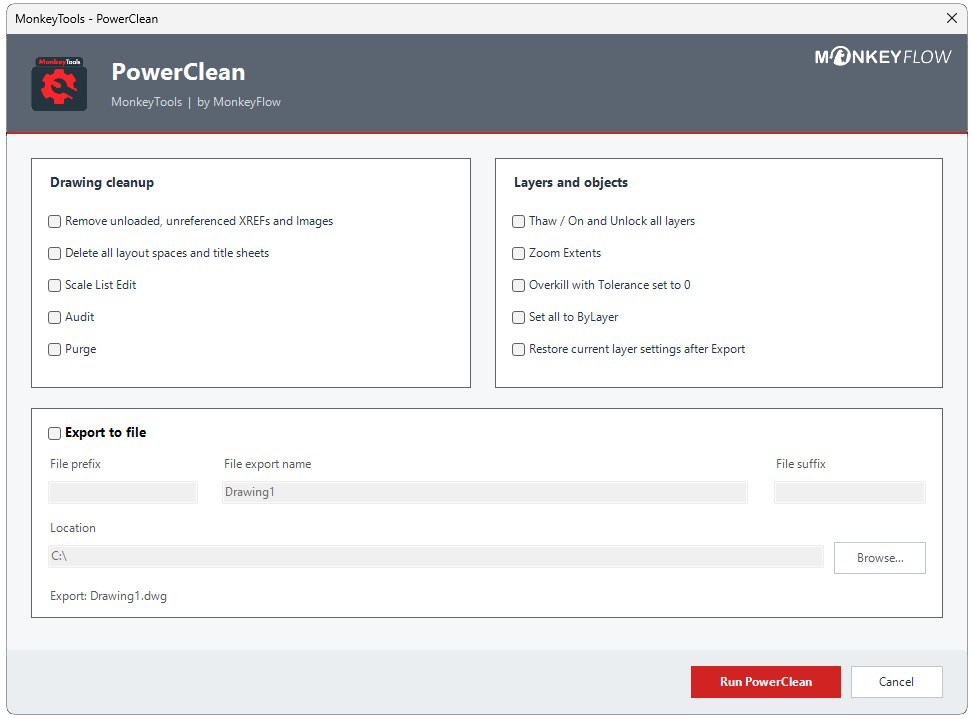
PowerClean leads a growing collection of free CAD utilities that help CAD and BIM teams prepare consultant drawings, improve drawing quality and streamline production workflows.
Prepare consultant DWG files before linking into Revit
Most Revit projects rely on consultant DWG files for surveys, structural information and engineering layouts. Before linking these drawings into your BIM model, they should be prepared to remove unnecessary data, improve drawing quality and maintain model performance.
PowerClean combines the most common DWG clean-up tasks into a single workflow, helping BIM Managers and CAD teams prepare consultant drawings quickly, consistently and with confidence.
✓ Prepare DWGs for Revit
Remove unnecessary layers, duplicate geometry and unwanted drawing data before linking consultant drawings into your BIM project.
✓ Improve model performance
Prepare DWG files before they enter your Revit model, helping reduce unnecessary complexity and keep projects running efficiently.
✓Maintain BIM standards
Apply the same preparation process to every consultant drawing to help create cleaner, more consistent BIM projects.
Block Rename Tool
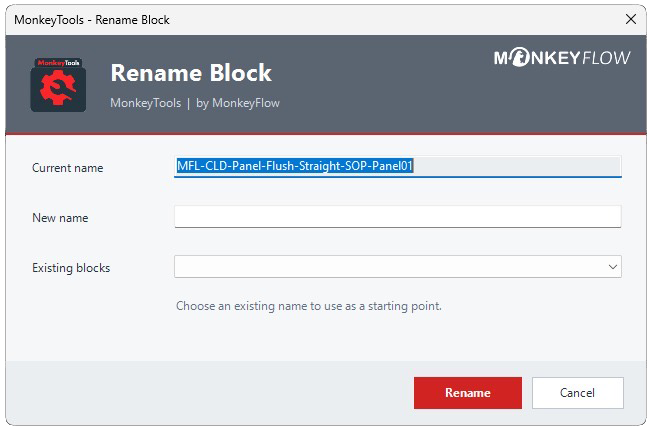
Rename blocks directly in the drawing.
Select a block and update its name immediately, without searching through block-management lists or opening separate management dialogs.
Select the block visually Work directly from the drawing instead of navigating long block lists.
Rename in one step Enter the replacement name and apply it immediately.