- troop@monkeyflow.co.uk
- +44 20 3995 1020
- Contact

BIMflow gives Revit users one clear way to access organised Content Warehouses, connect company-specific content, and transfer or synchronise data between Revit models.
Keep templates lean, load only the content each project requires, and maintain consistent information across multiple project volumes.
Full version. No payment required.
Why BIMflow exists
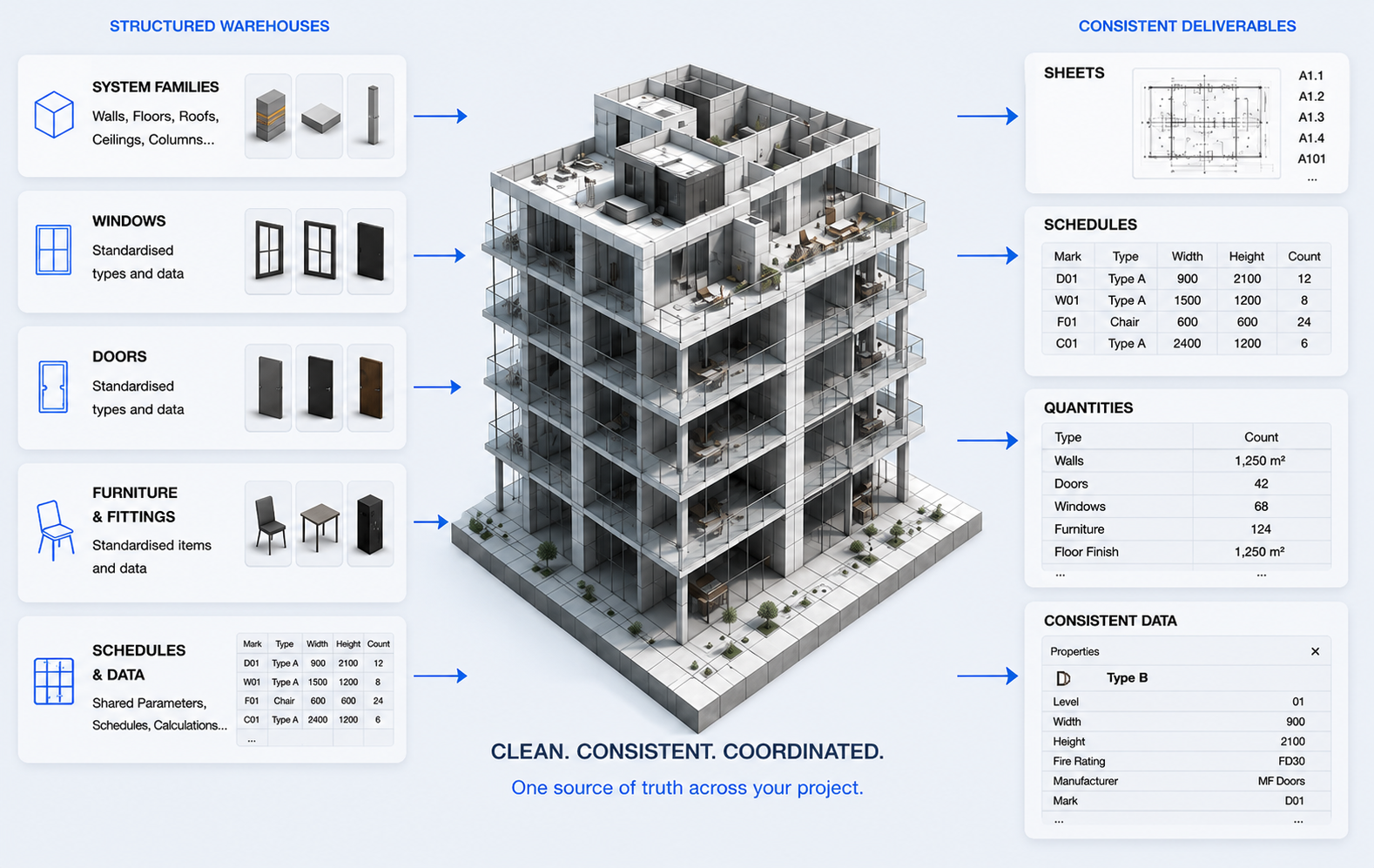
Large content-heavy templates appear convenient, but they create bloated files, difficult maintenance, duplicate families and a major problem when users run Purge Unused. BIMflow separates project standards from project content and gives BIM Managers one controlled place to maintain approved data.
1. Content
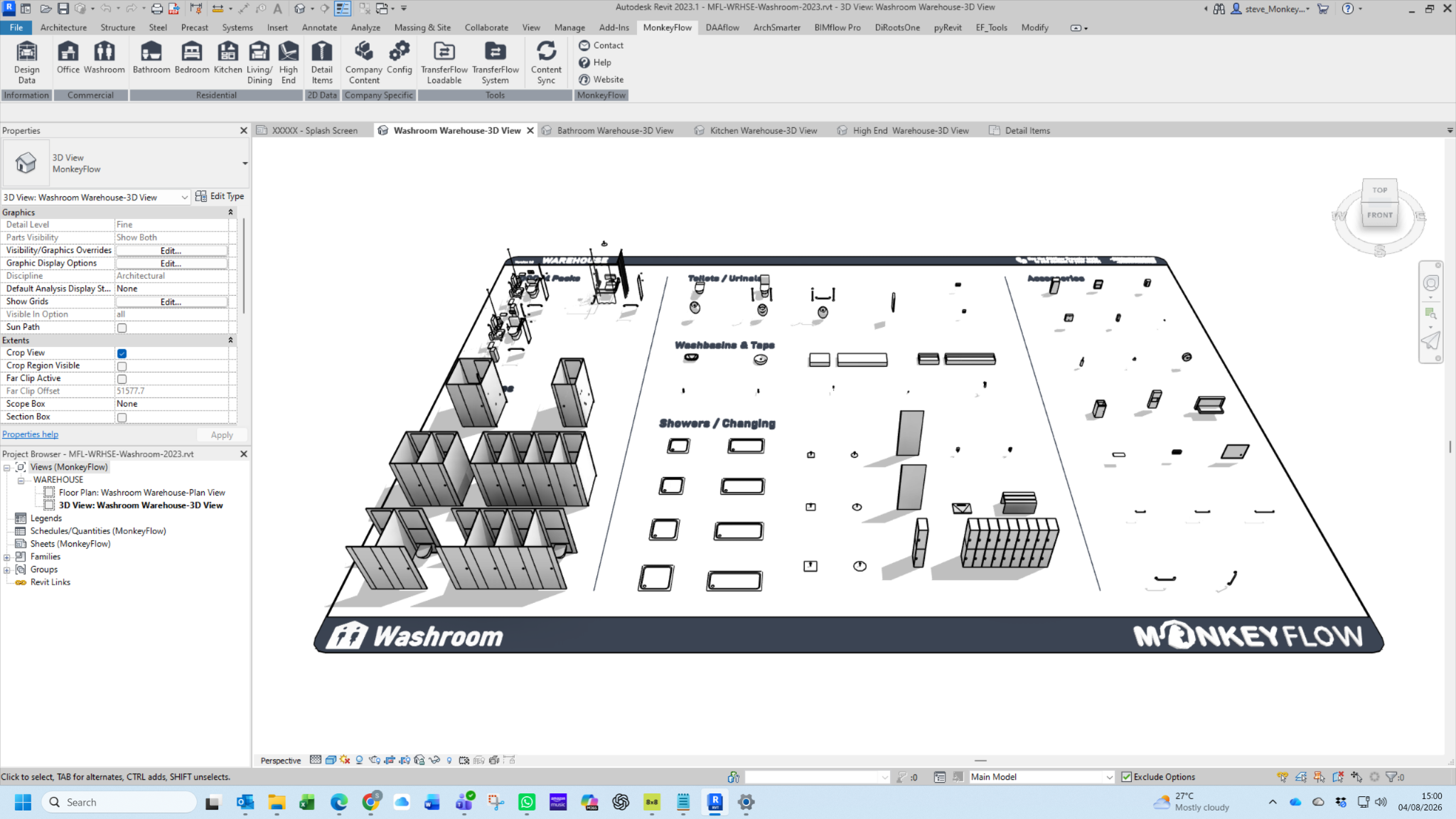
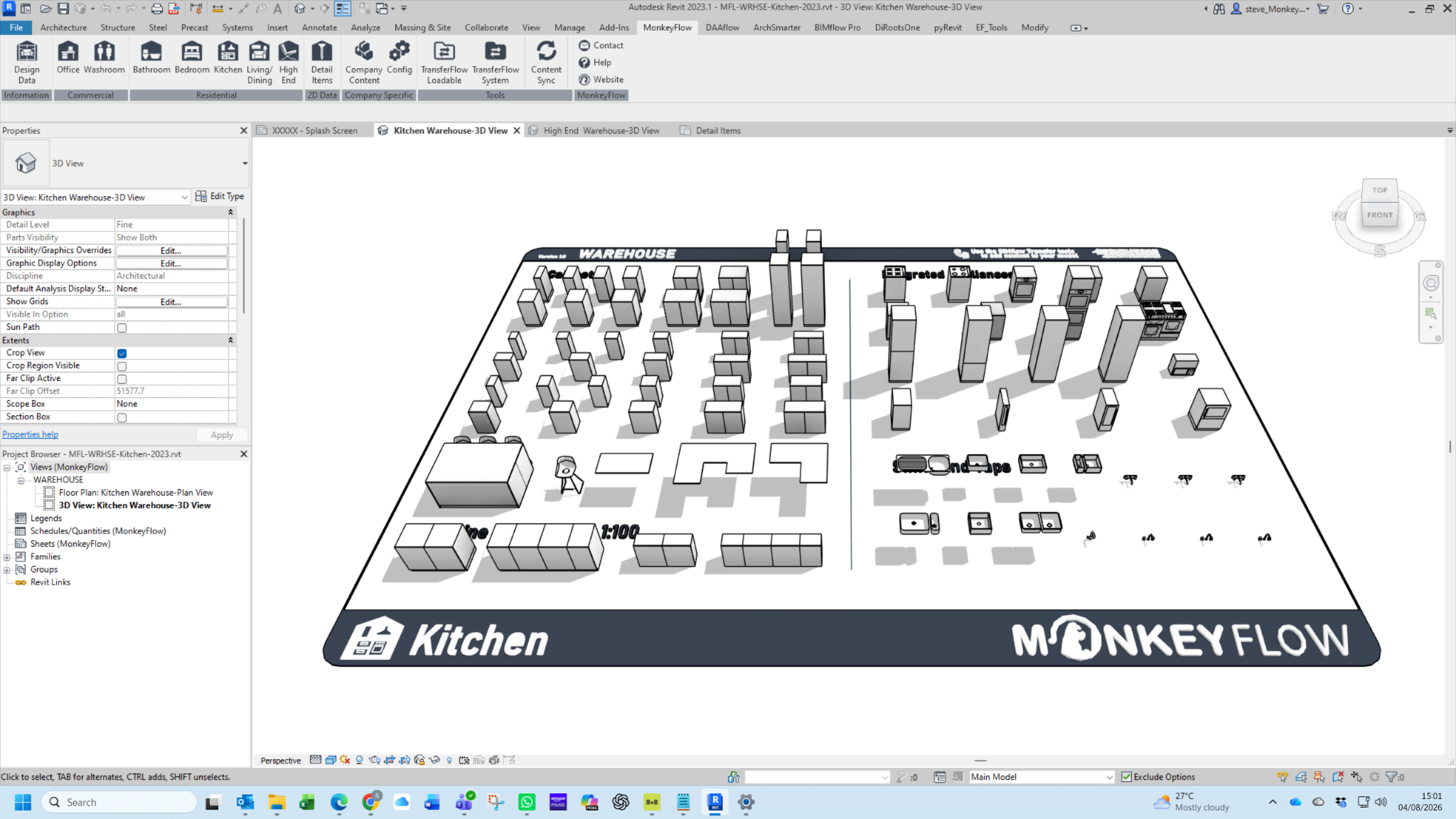
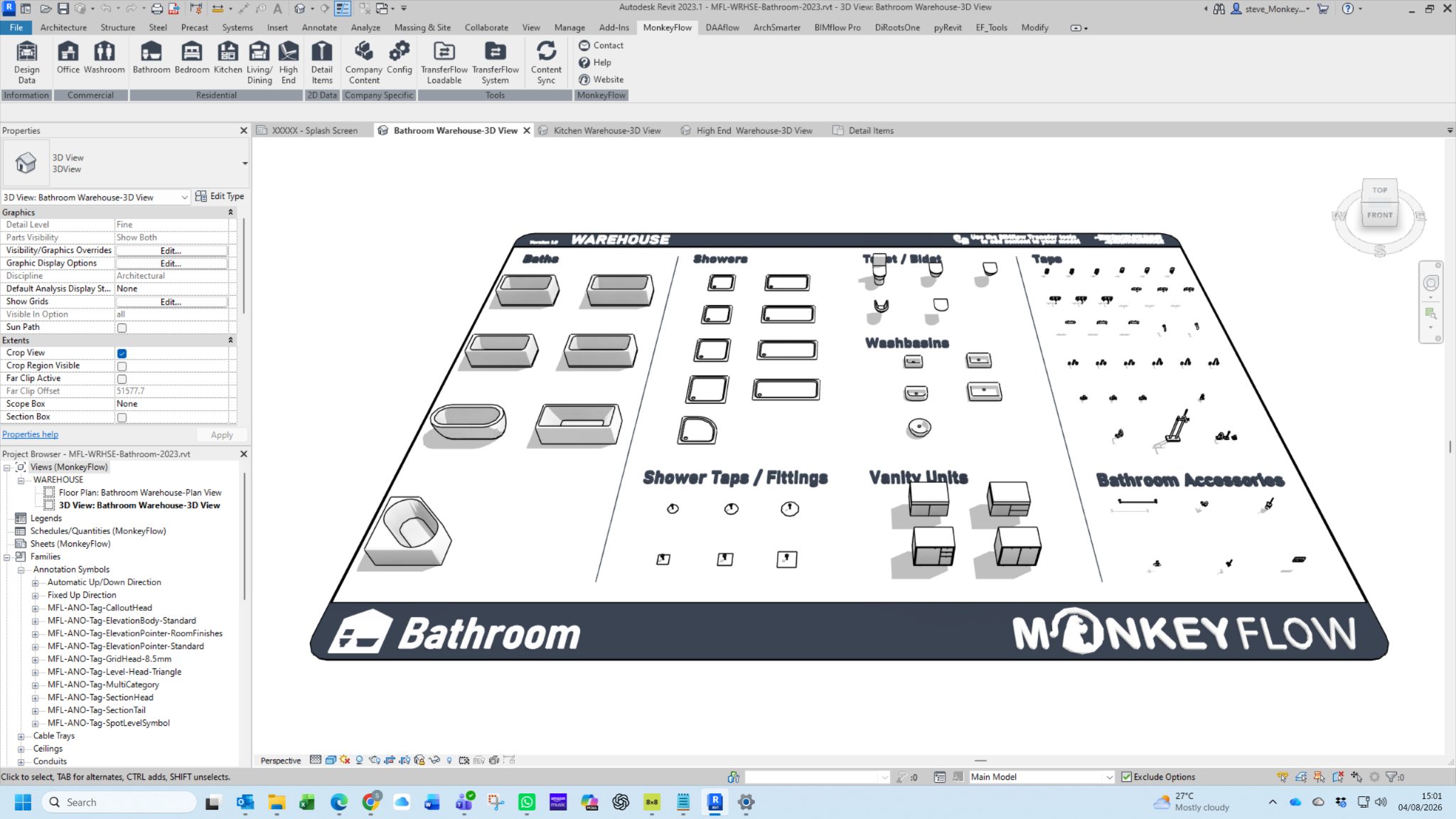
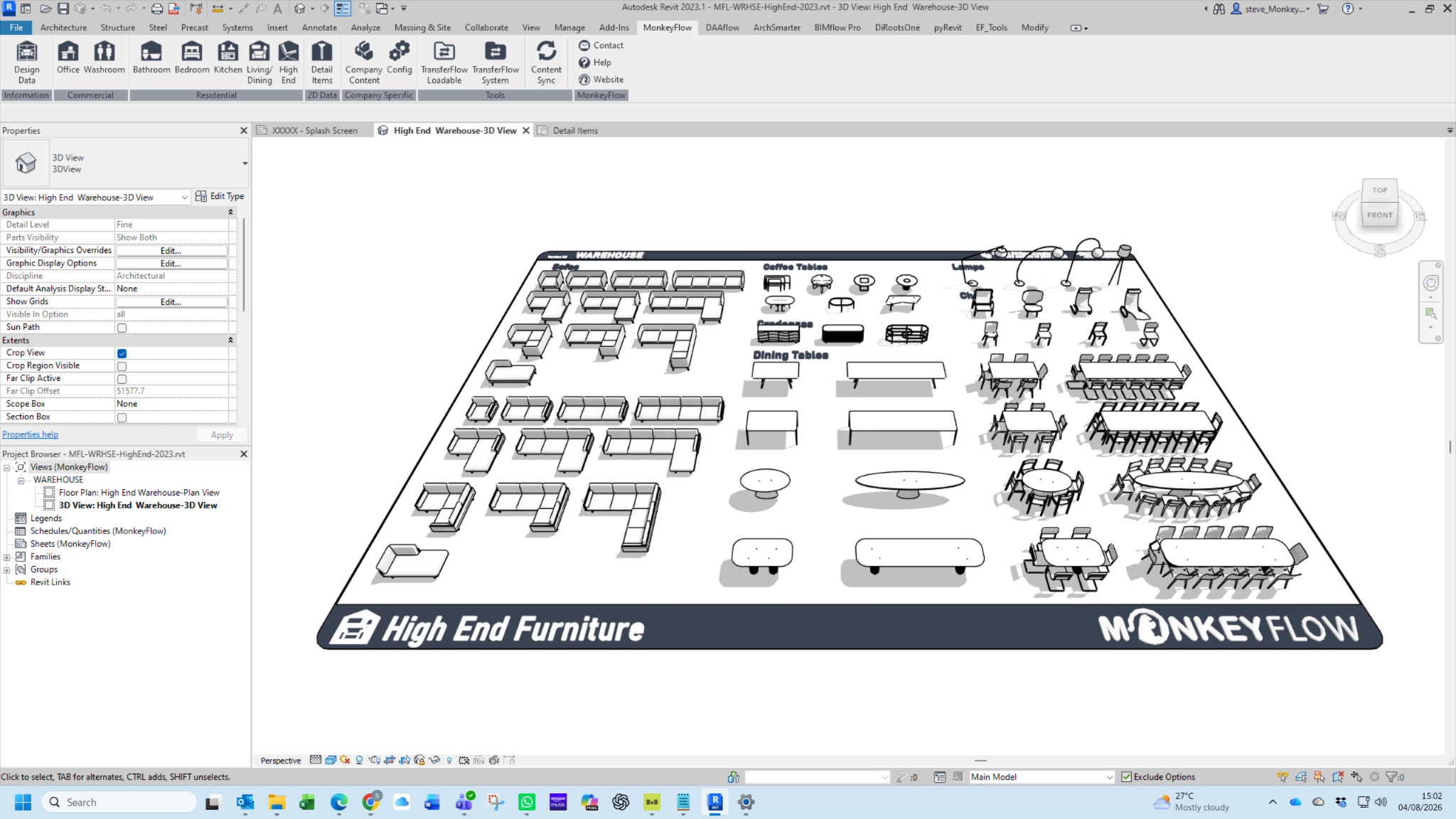
Instantly access cloud-hosted Revit content directly from the BIMflow ribbon. MonkeyFlow maintains the supplied Warehouse files centrally, allowing updated content to be made available without rebuilding templates or maintaining separate local libraries.
Building Regulations-compliant furniture and useful design data, ready to use within Revit.
Office, workplace, washroom and other commonly required commercial architectural content.
Bathroom, bedroom, kitchen, living/dining and high-end residential content.
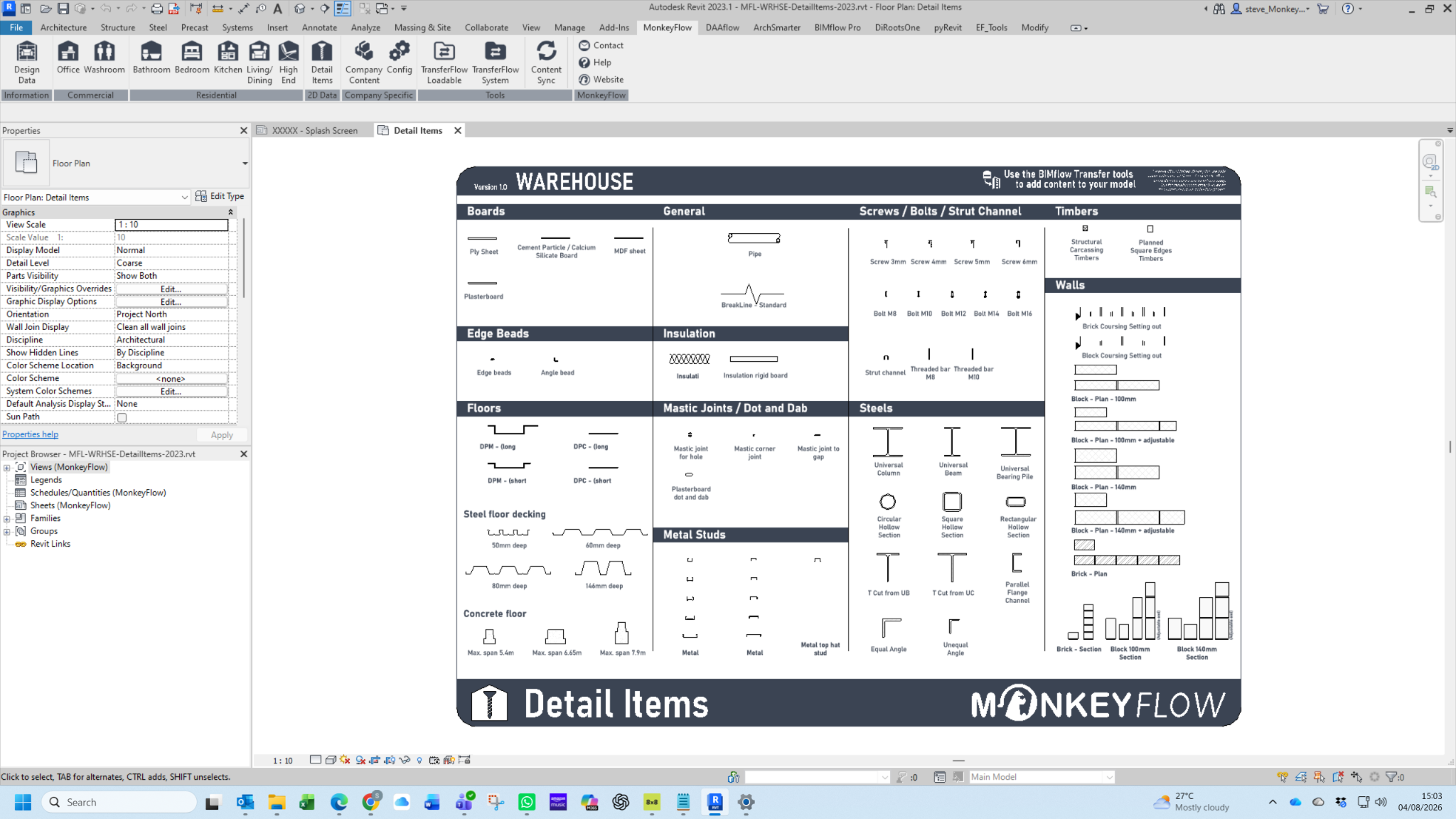
Detail Items and reusable 2D documentation content available directly from BIMflow.
Two ways to browse
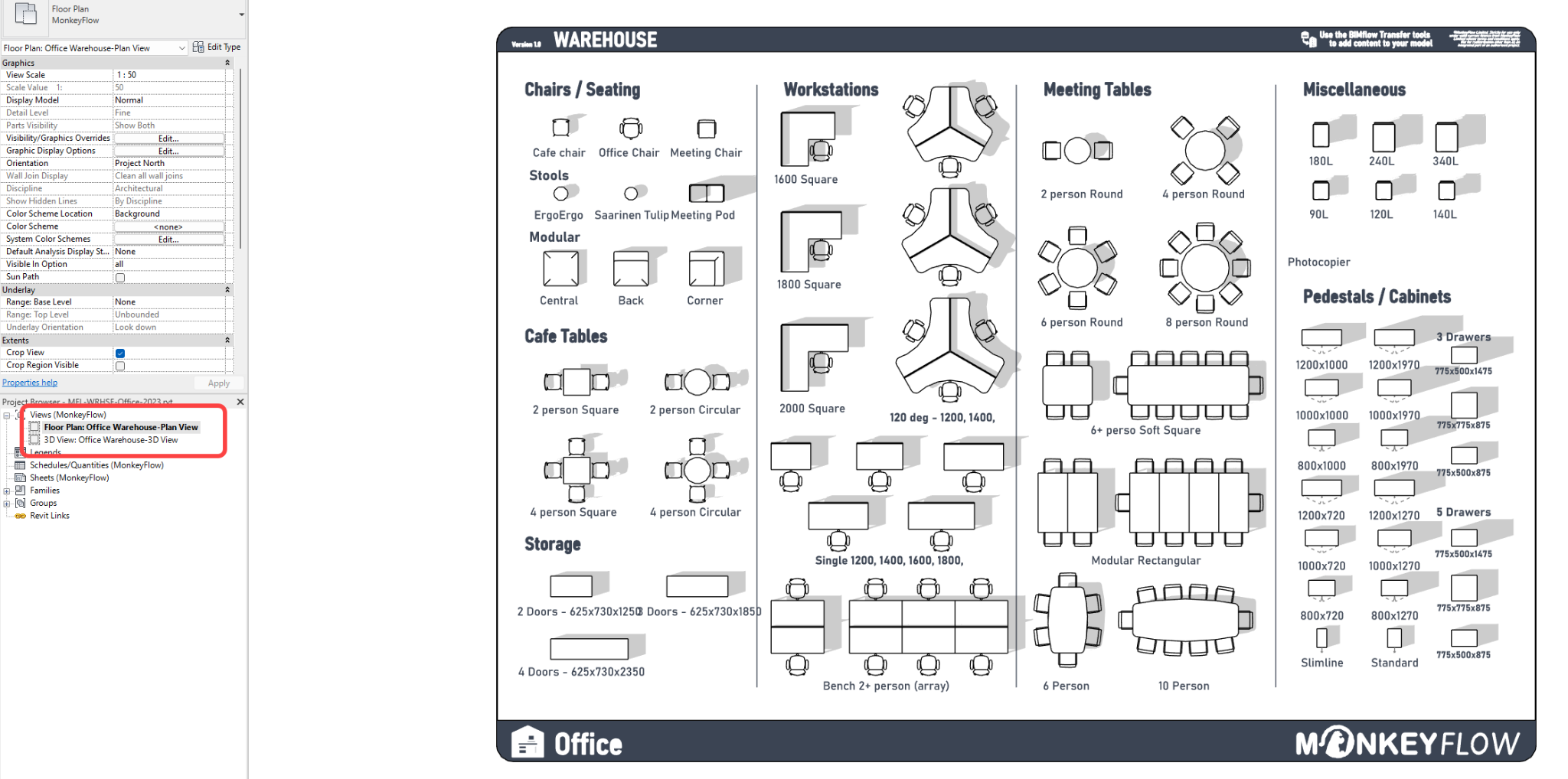
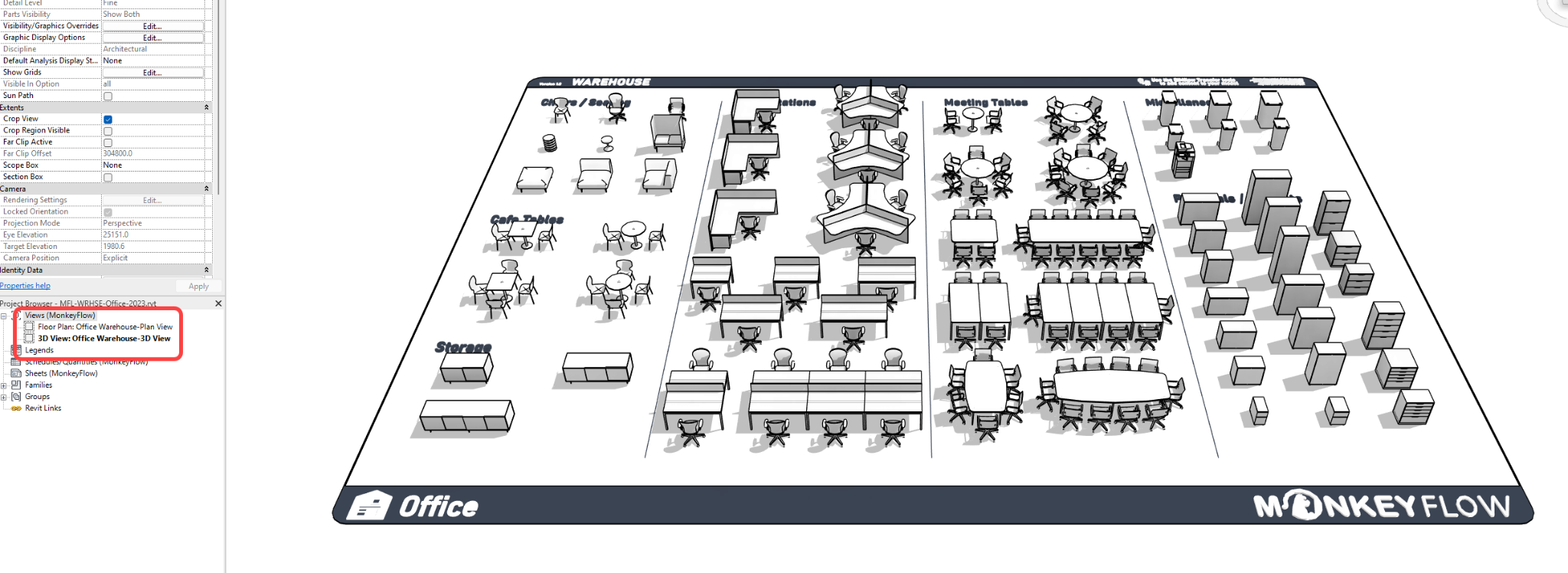
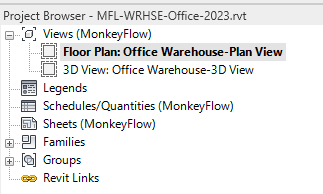
Users can open the plan view for a clear 2D catalogue or use the 3D view to understand the content spatially before transferring it into the active project.
Browse the warehouse in a familiar Revit view rather than searching through folders.
MonkeyFlow maintain the central warehouse files and distribute updated content efficiently.
Keep project templates and models lean by adding content on demand.
2. Company Specific
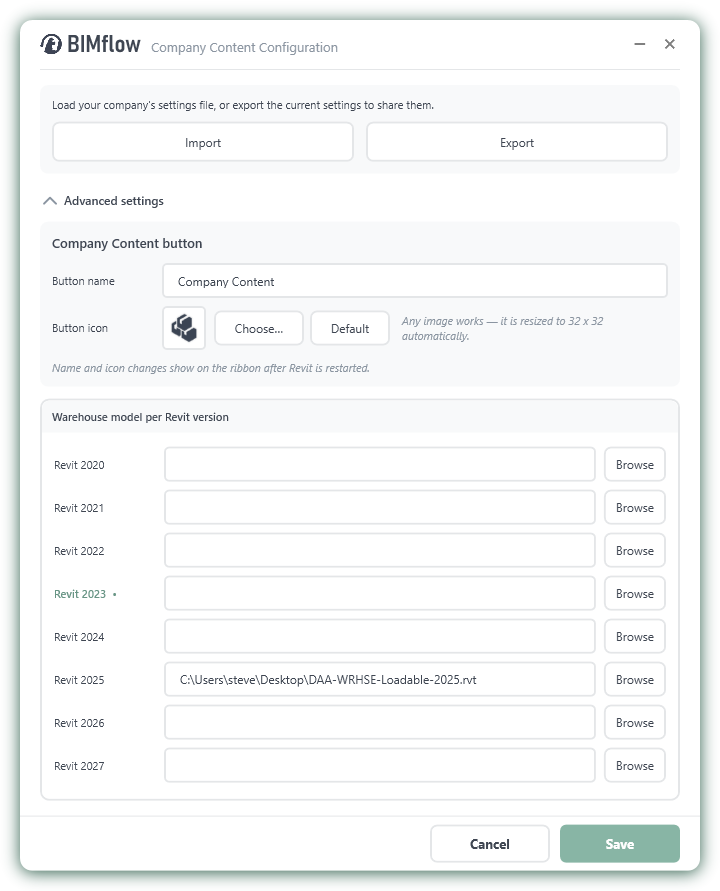
BIMflow can be configured around a company’s own Revit content strategy. The Company Content button opens the correct warehouse for the active Revit version, while the Config tool controls the button name, icon and file location.
Brand the Company Content button so it is immediately recognisable to your users.
Specify the correct company warehouse file for each supported Revit release.
Import and Export the configuration so the same setup can be distributed across your organisation.
Users select Company Content from the ribbon and BIMflow opens the relevant company warehouse.
3. Tools
BIMflow’s management tools transfer loadable and system families between Revit files and can also update the parameter values stored within matching content. This is especially useful on projects split across multiple building volumes, where each Revit model needs to remain aligned with the same approved source data.
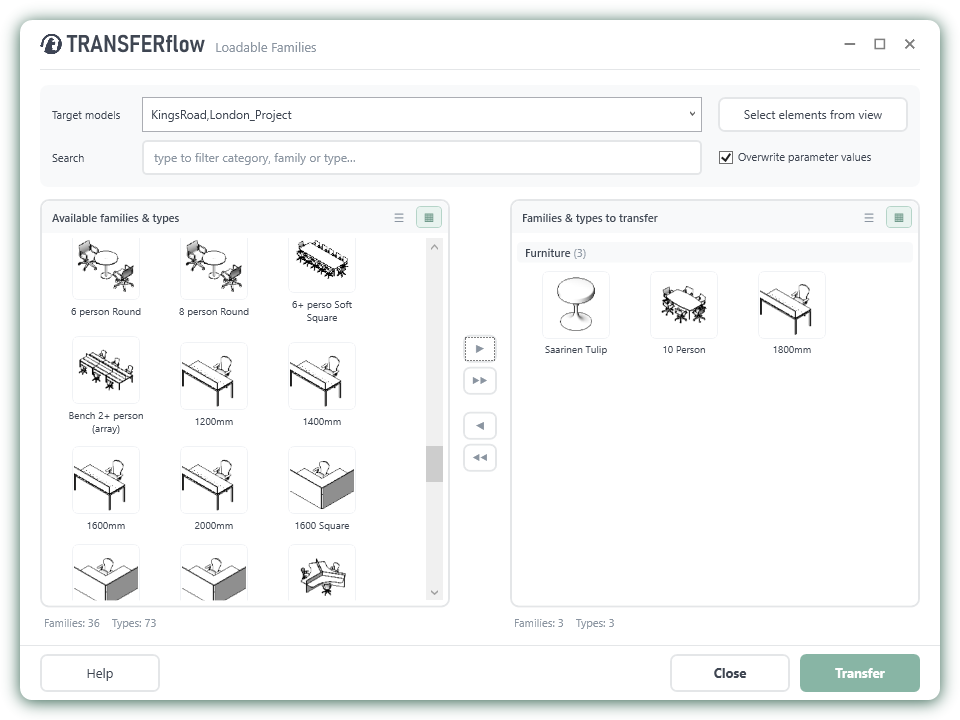
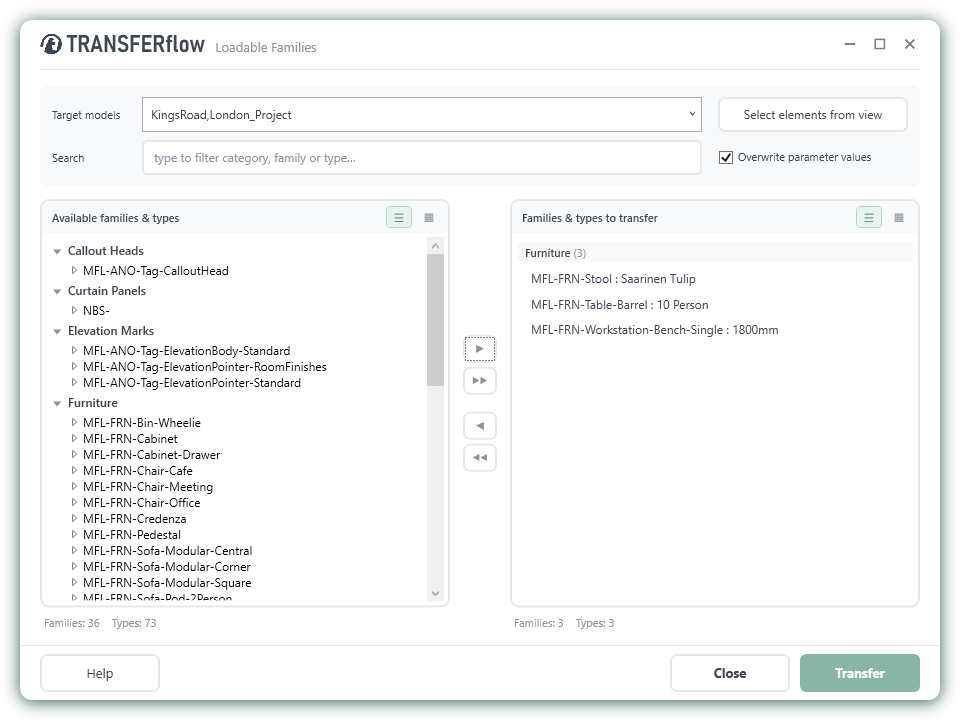
Transfer loadable and system families between Revit models using the dedicated TransferFlow tools.
Choose content directly by picking elements in Revit, rather than finding them only through the dialogue.
Update parameter values held within matching content so project data remains aligned as standards change.
Content Sync
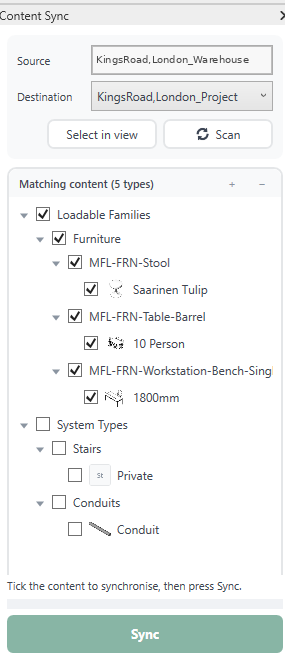
Select a source Revit file and a destination model, scan for matching content, then choose exactly which items should be synchronised. On multi-volume projects this provides a practical way to keep the same families, system types and associated information consistent across separate Revit models.
Define the approved source and synchronise matching content into another model.
Tick only the families, types or system content that should be updated.
Keep separate building volumes aligned with the same centrally managed project content.
Company-specific BIMflow
MonkeyFlow can create customer-specific versions of BIMflow configured around your company requirements — bringing your own content, standards, information and workflows together in one familiar Revit ribbon.

Example: Darling Associates — a bespoke company ribbon providing direct access to company warehouse content, BIM manuals and procedures, alongside BIMflow content and TransferFlow tools.
Structure content around your sectors, disciplines and office standards
Bring company content, manuals, procedures, libraries and workflows directly into the Revit ribbon.
Coordinate BIMflow with your existing or bespoke Revit template.
Extend the platform with tools created around your delivery process.
Content-heavy templates become larger, harder to maintain and easier for users to purge. BIMflow keeps project standards in the template and manages content separately.
BIMflow is available for Revit 2022 and above.
Yes. The Company Content button can be configured to open your own maintained Revit warehouse file directly from the BIMflow ribbon.
Yes. Company-specific BIMflow implementations are available as a consultancy service. Contact MonkeyFlow to discuss your requirements.
Join the discussion, share ideas, request features and see replies from the MonkeyFlow team.
A community-style preview inspired by YouTube comments and GitHub Discussions.
Keep templates lean, connect your company warehouse, transfer parameter values and synchronise approved content across Revit models.

Helping organisations get more from AutoCAD, BricsCAD and Revit through workflow improvement, bespoke software and practical productivity tools.
+44 (0)20 3995 1020


© MonkeyFlow Ltd. All rights reserved.
You must be logged in to post a comment.