Case Study

Darling Associates Architects

One connected system for Revit, AutoCAD, content, templates and project information.

How MonkeyFlow helped Darling Associates Architects coordinate its Revit and AutoCAD environments as one practice-wide system — aligning graphical standards, predefined content, an extensively improved Revit template, automated schedules and project sheets, and the DAA Hub for manuals, technical guidance and documentation.

Darling Associates Architects

A predominantly Revit practice — without leaving AutoCAD behind.

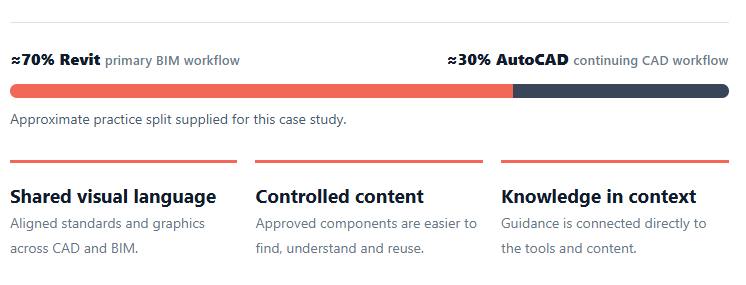
Darling Associates Architects works predominantly in Revit while retaining a significant AutoCAD workflow. The challenge was not to force everything into one application — it was to make both environments feel like one Darling system.

Darling Associates Architects needed Revit and AutoCAD to produce drawings that looked and behaved as though they came from the same practice — not two separate software environments.

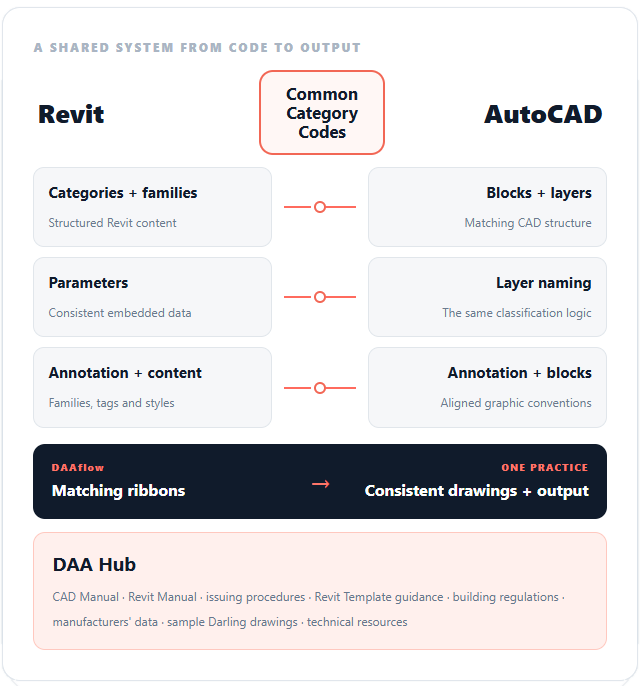
The system was built around a three-digit category code, carried through Revit categories, families and parameters, and into AutoCAD blocks and layering. Around that shared structure we built matching annotation styles, parametric content and aligned drawing standards, so information and graphics stayed consistent whichever application was used.

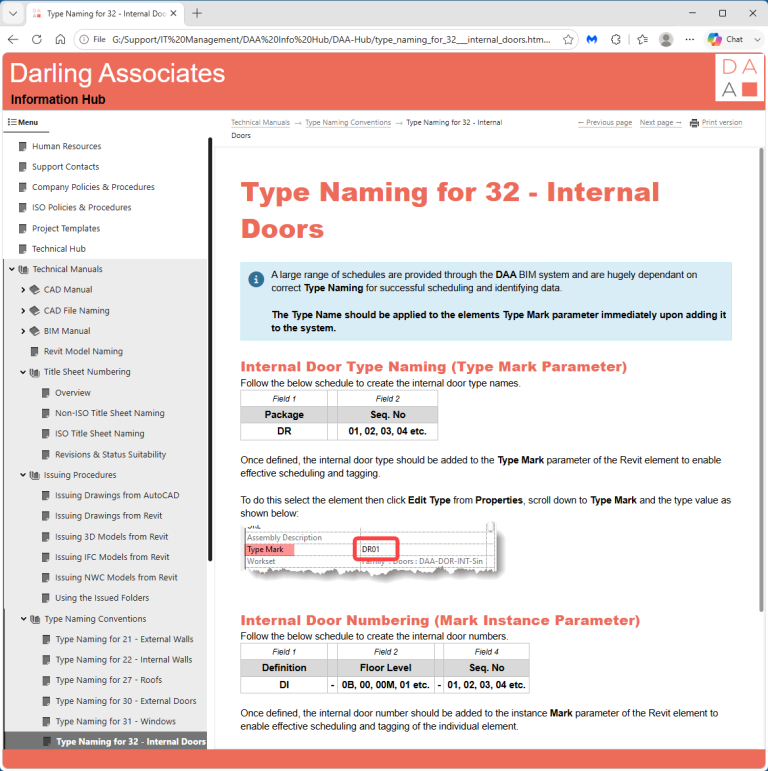
Matching DAAflow ribbons gave users continuity between Revit and AutoCAD, while the DAA Hub — accessible directly from both — became the shared source for manuals, procedures, template guidance and wider technical information.

Choose the delivery tool to suit the project — not the other way around.

The objective was to create two excellent, aligned production environments so each project can be assessed on its own requirements. Fast-turnaround refurbishment work may be better suited to AutoCAD, while larger new-build projects with repeated floor plates, coordinated data and BIM deliverables can benefit significantly from Revit. Because both environments follow the same practice standards, graphical conventions, naming logic and shared resources, DAA can select the most appropriate platform without sacrificing consistency between projects.

The Revit environment

Warehouses that can be quickly browsed visually.

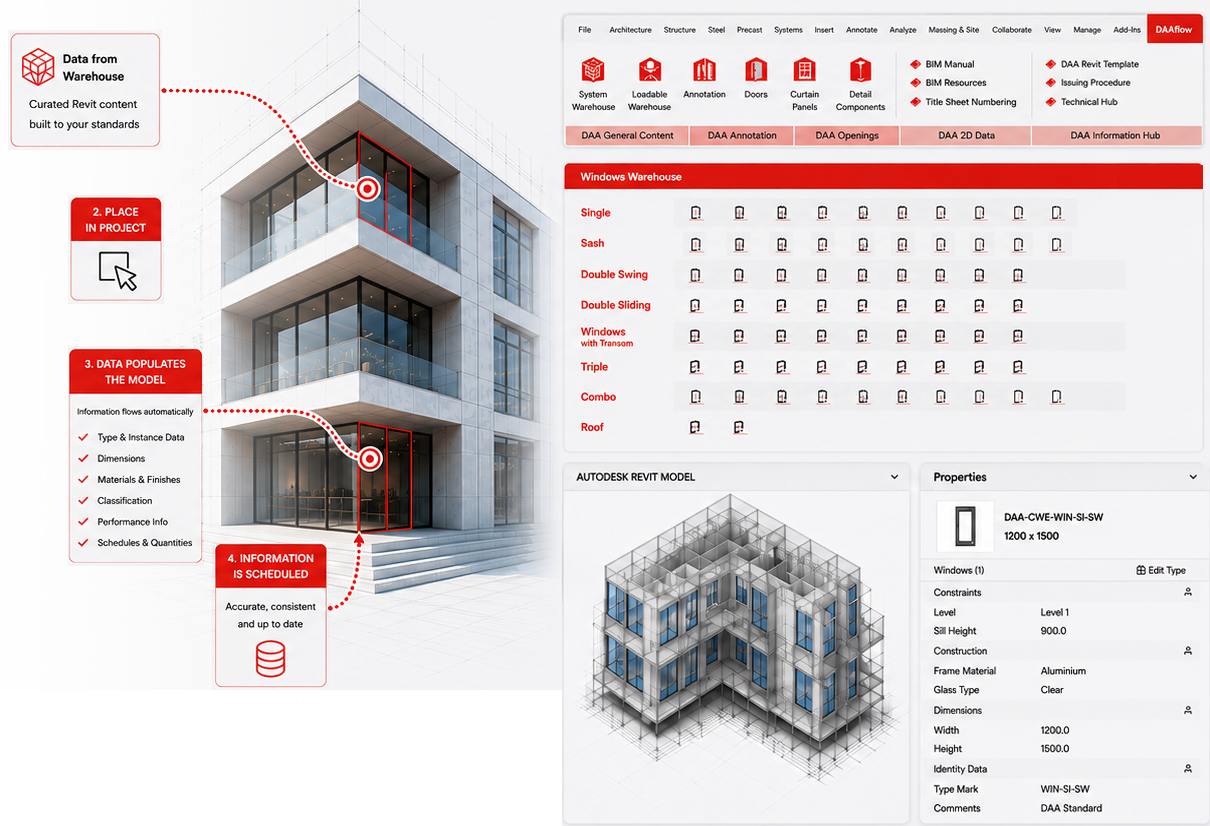
With Revit representing the majority of the practice workflow, DAAflow puts approved office content directly on the ribbon and presents it visually rather than as an abstract family list. The warehouses were developed to work with a heavily improved practice template, not as a separate content library.

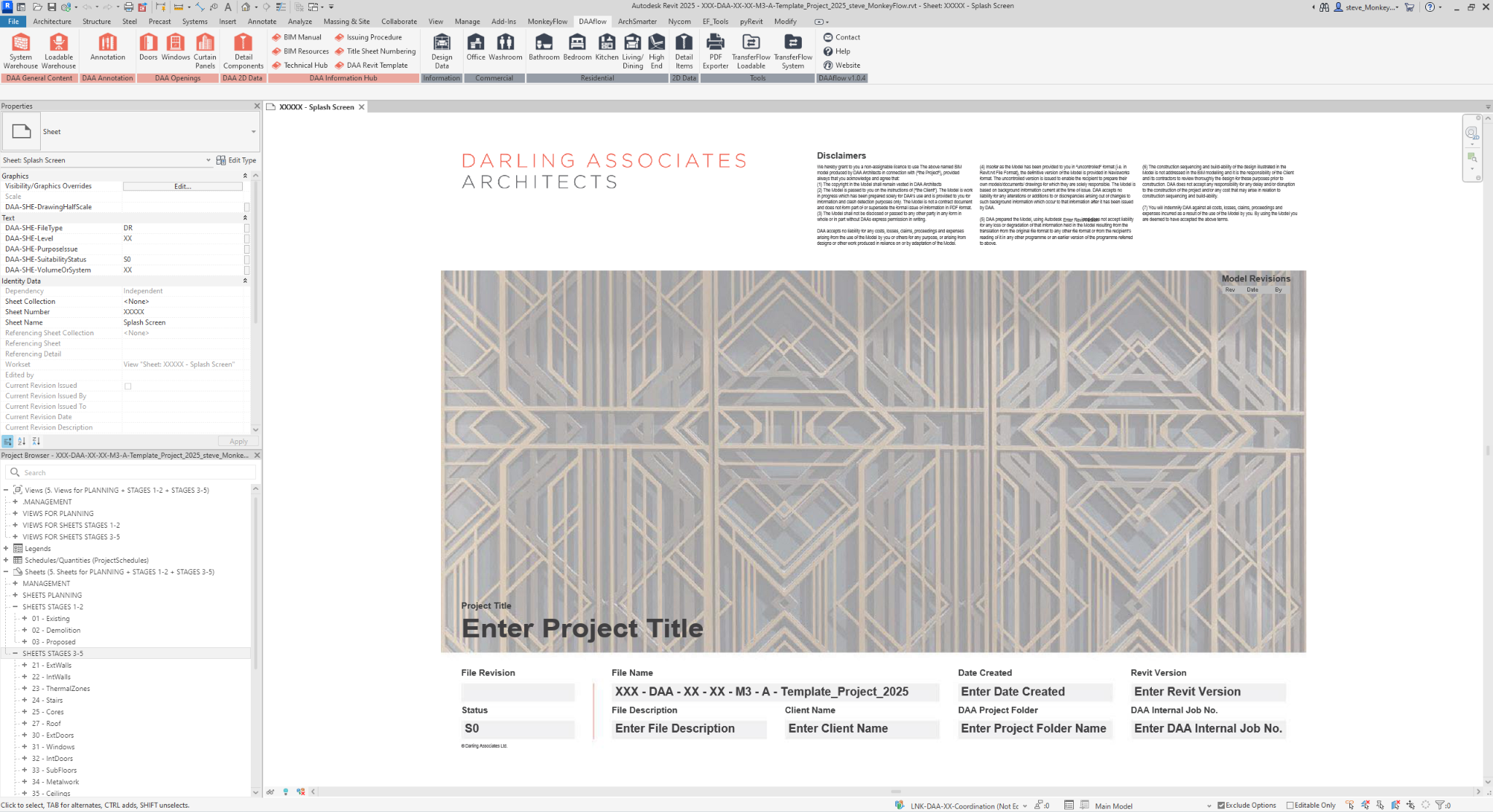
DAAflow in Revit

Matching practice tools sit directly in Revit, giving users a familiar route into curated warehouses, annotation, openings, 2D data and the DAA Information Hub.

Typical warehouses

Central repositories of approved office content and data.

The warehouses give teams a consistent starting point, reducing the need to recreate content, search through previous projects or rely on individually maintained resources. This keeps project information controlled, consistent and quicker to access. A selection of typical warehouses is shown below.

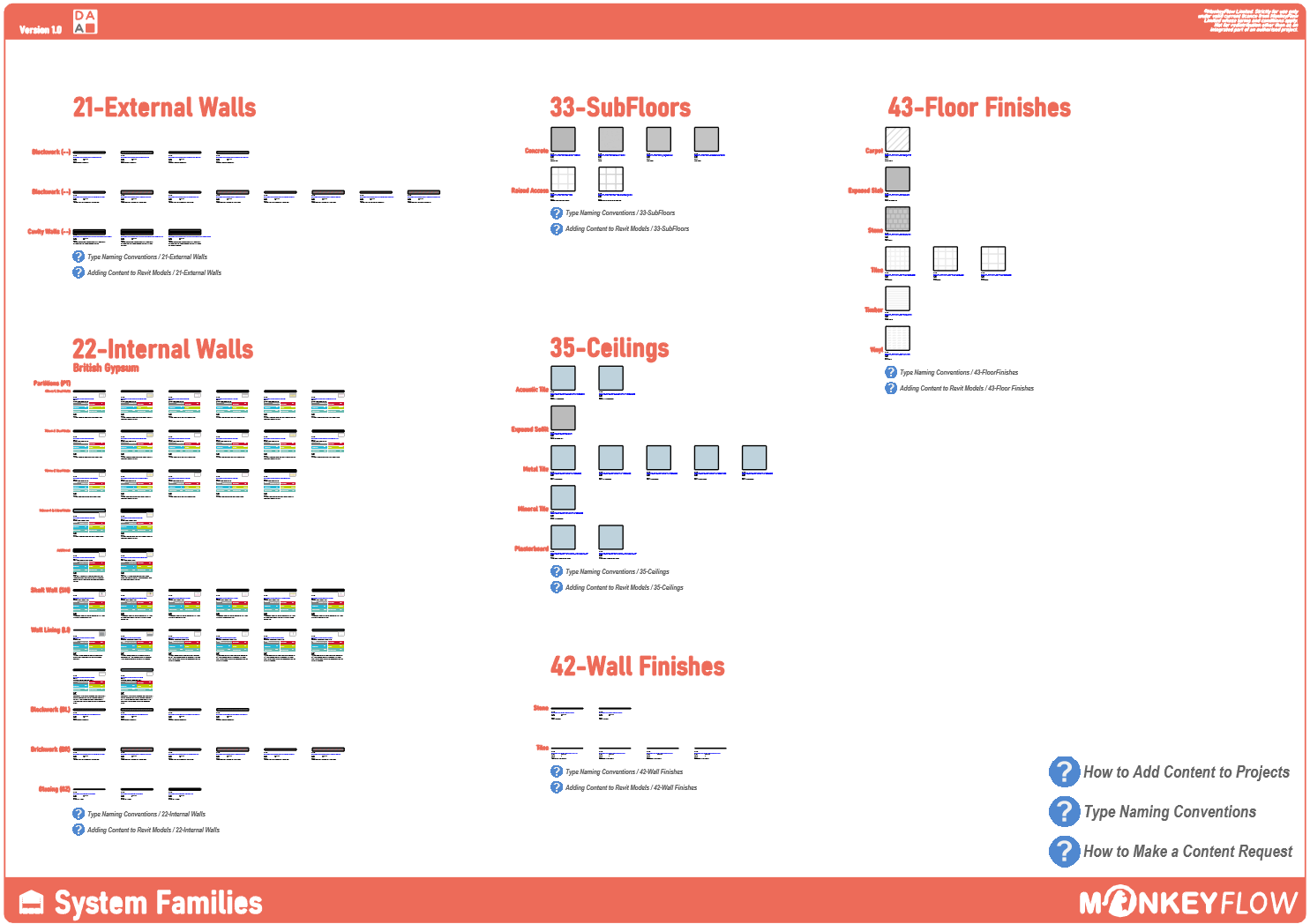
System Families Warehouse

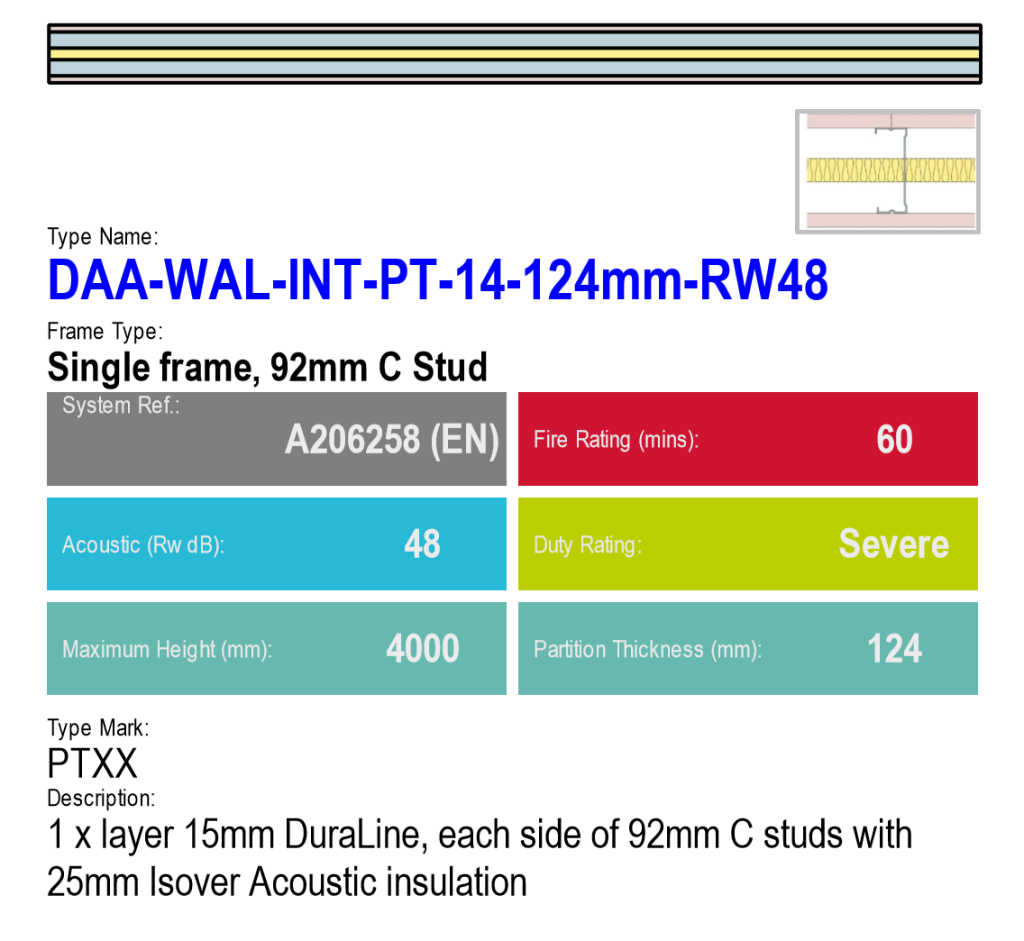
Walls, ceilings, floors and finishes are presented as a controlled office catalogue, with technical information displayed directly from Revit parameter data.

Typical content

Ready-to-use system families for project models.

Graphic previews make each type easy to identify.

Key performance data is visible at a glance through parameter-driven tags.

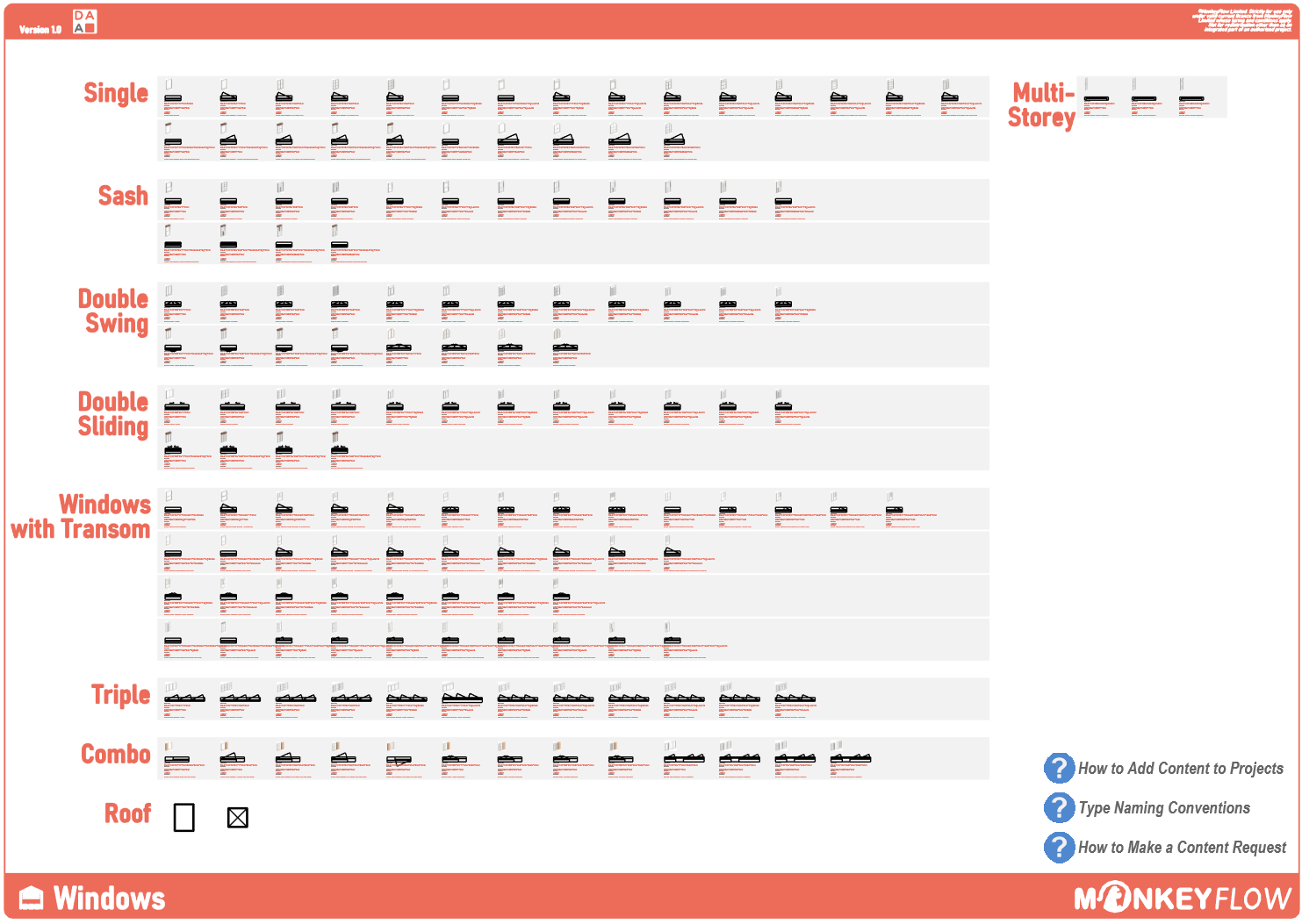
Windows Warehouse

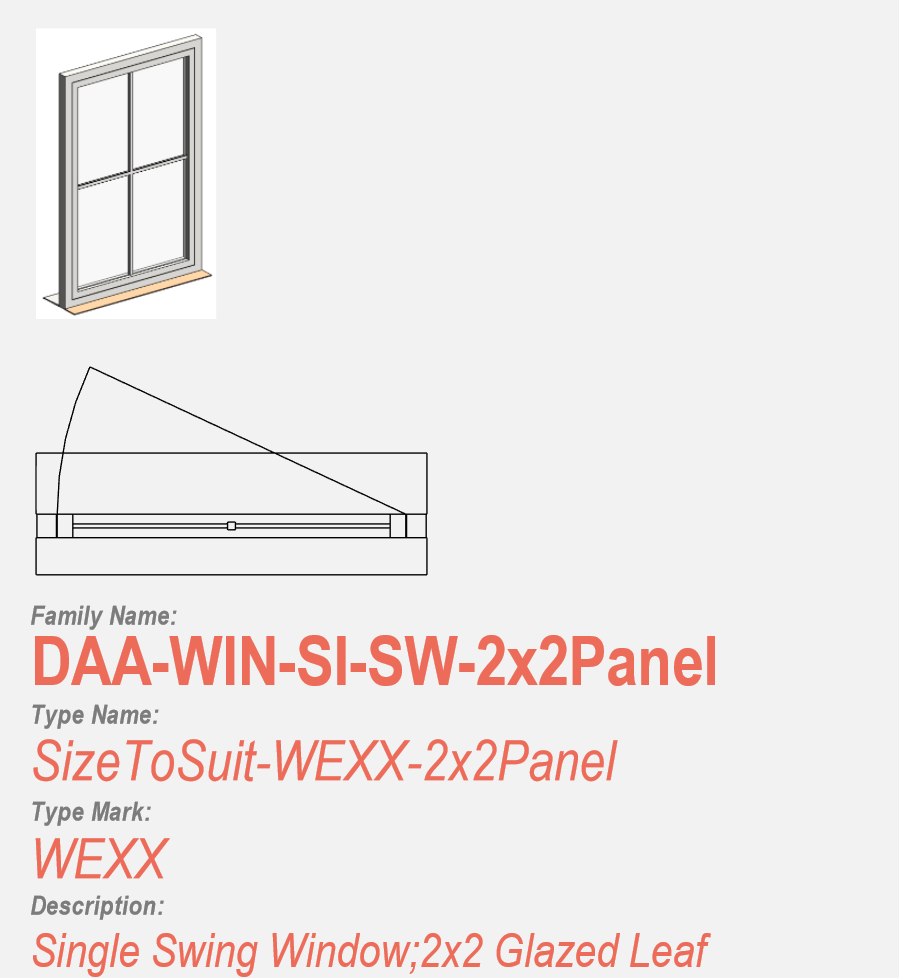
Window families are organised visually by configuration, with 3D previews making content quick and easy to recognise.

Typical content

3D previews make each family easy to recognise.

Consistent naming makes content quick to identify.

Type marks and descriptions are visible at a glance through parameter-driven tags.

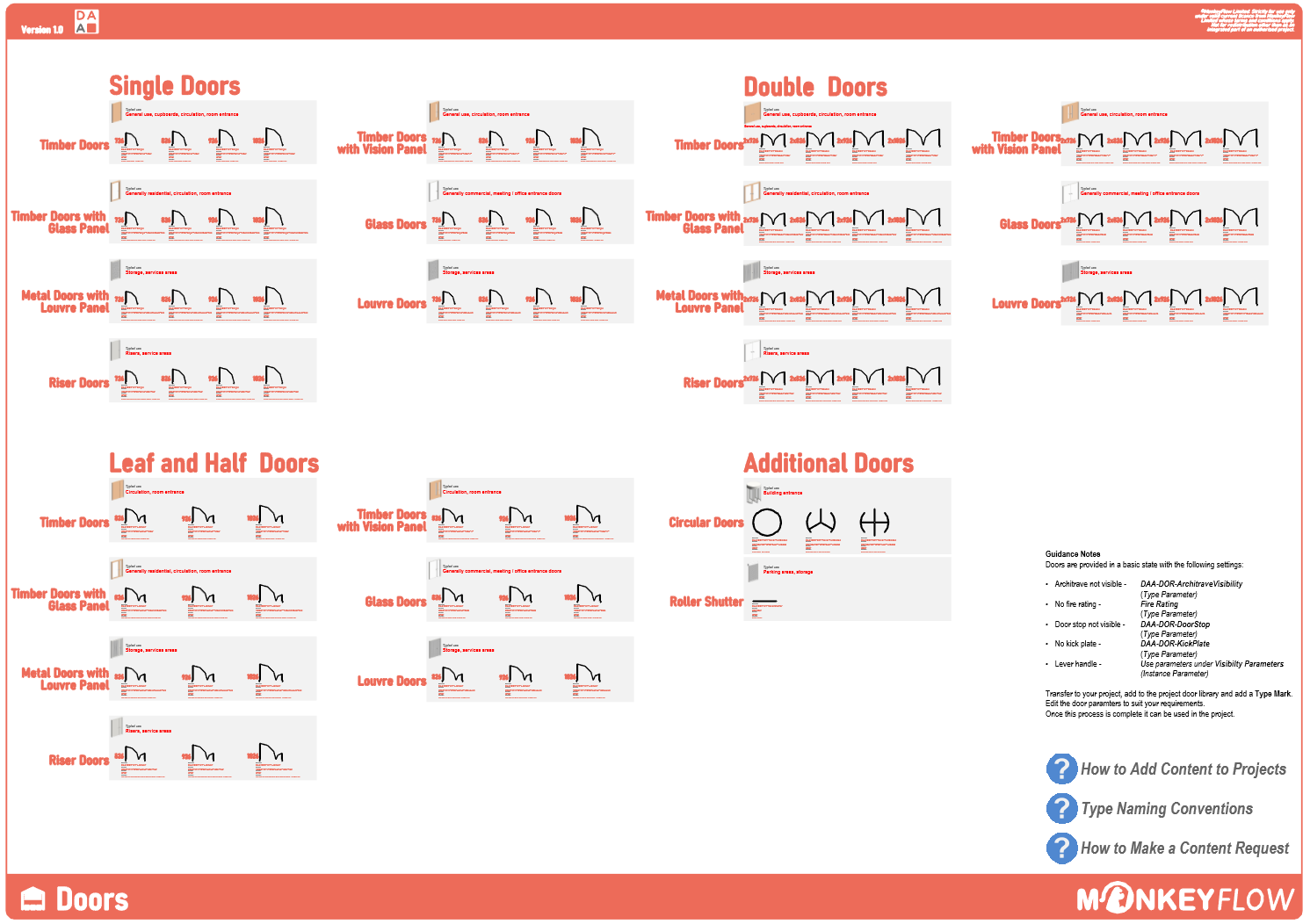
Doors Warehouse

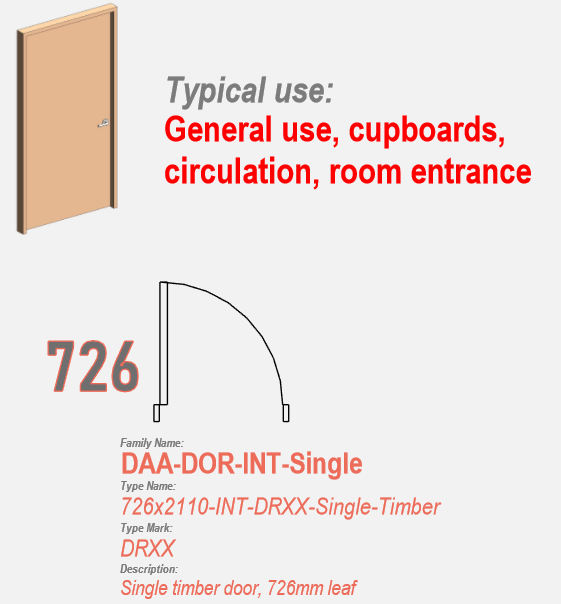
Door families are organised visually by type, arrangement and size, rather than being buried in folders.

Typical content

Clear organisation and labelling make content easy to navigate.

3D previews make each family easy to recognise.

Type marks and descriptions are visible at a glance through parameter-driven tags.

The AutoCAD environment

A coordinated AutoCAD environment built around the way DAA works.

AutoCAD remains an important part of Darling Associates Architects’ production environment. Rather than operating as a separate set of standards and resources, DAAflow brings practice-specific tools, content and workflows together in one coordinated system.

DAAflow Library

The DAAflow Library puts approved office content directly on the AutoCAD ribbon, giving teams a consistent route into shared warehouses and resources without searching folders or previous projects.

Typical warehouses

Central repositories of approved office drawing content.

DAA’s AutoCAD warehouses provide controlled, reusable content for common project tasks. They reduce the need to remake components, search older projects or rely on individually maintained resources, helping drawings remain consistent and efficient. A selection of typical warehouses is shown below.

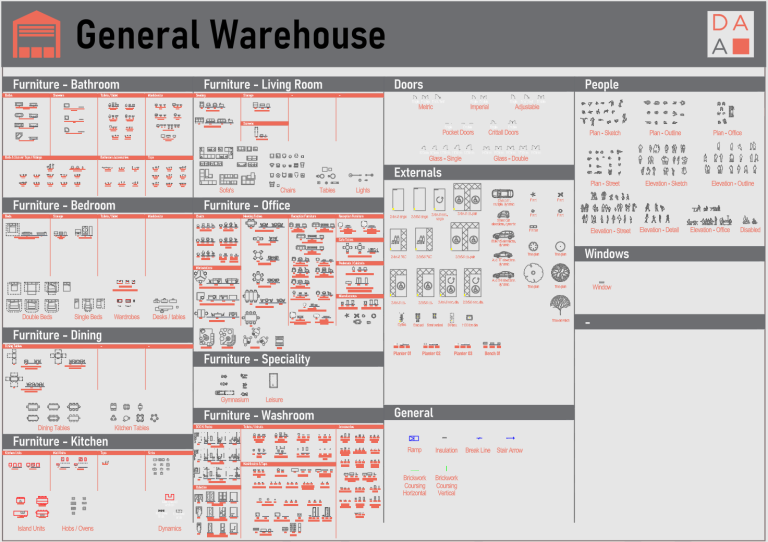
General Warehouse

The DAAflow Library puts approved office content directly on the AutoCAD ribbon, giving teams a consistent route into shared warehouses and resources without searching folders or previous projects.

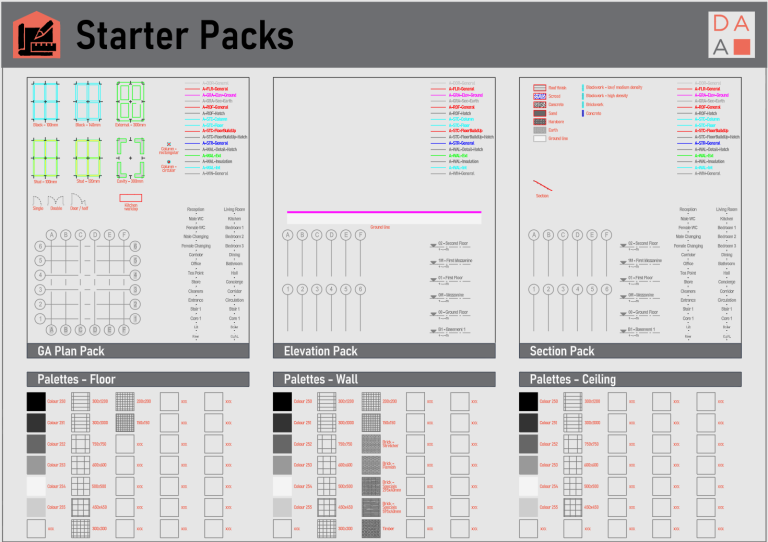
Starter Packs

Preconfigured plan, elevation and section resources give projects a coordinated starting point, including layers, room names and other common drawing information.

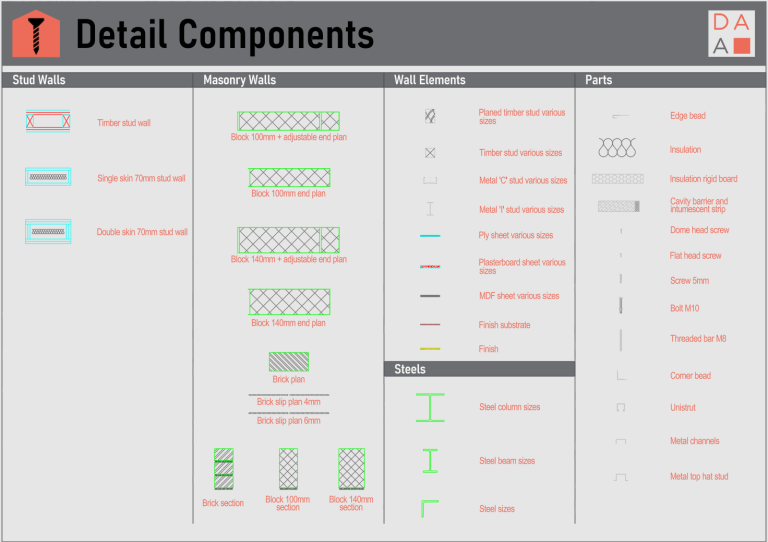
Detail Components

Stud walls, masonry, wall elements, steels and common parts are collected into a consistent technical detailing resource.

Production tools

The same practice logic carried into everyday AutoCAD work.

Beyond shared content, DAAflow brings tags, layers and production utilities into a consistent ribbon environment so common tasks are easier to find and standards remain visible while teams work. Annotation styles are configured to align with Revit, including text, dimensions, elevation, section and callout tags, grids and other common drawing annotation.

DAAflow Tags brings room, area, grid, view, level and coordinate annotation together in a coordinated toolset, using graphical conventions aligned with the Revit environment.

DAAflow Layers makes the practice layering system accessible through clear category-based commands and layer tools. The layer structure uses the same three-digit category codes established around Revit categories, helping the CAD and BIM environments follow the same classification logic.

DAAflow Tools brings common production, printing and issuing utilities together in one consistent location.

DAAflow Library gives users direct ribbon access to approved warehouses, starter packs and shared content resources.

The DAA Hub

One place for the standards behind project delivery.

The DAA Hub brings the technical information behind Revit, AutoCAD and BIM delivery into one clear practice resource — covering technical references, issuing procedures, content workflows, naming conventions, project setup and other day-to-day standards.

Direct access from Revit. Practice guidance stays close to the project.

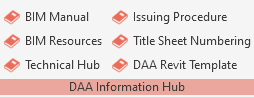
Key DAA Hub resources can be opened directly from the Revit ribbon — including the BIM Manual, BIM Resources, Technical Hub, Issuing Procedure, Title Sheet Numbering and DAA Revit Template guidance.

Technical resources

Technical information in one place.

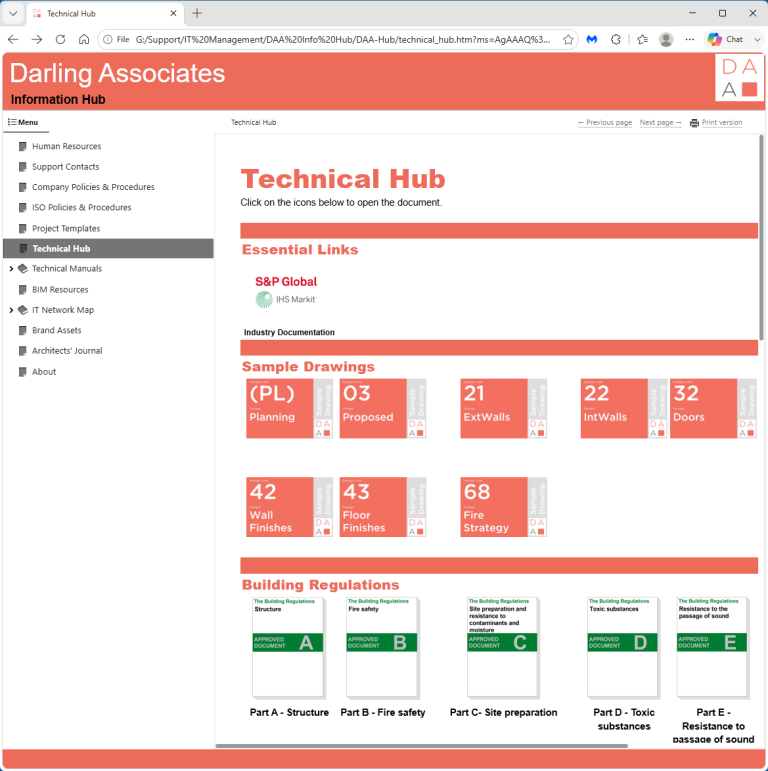
Sample Darling drawings, Building Regulations, manufacturer information and wider technical references are brought together in one visual resource.

Revit standards

Consistent naming and classification.

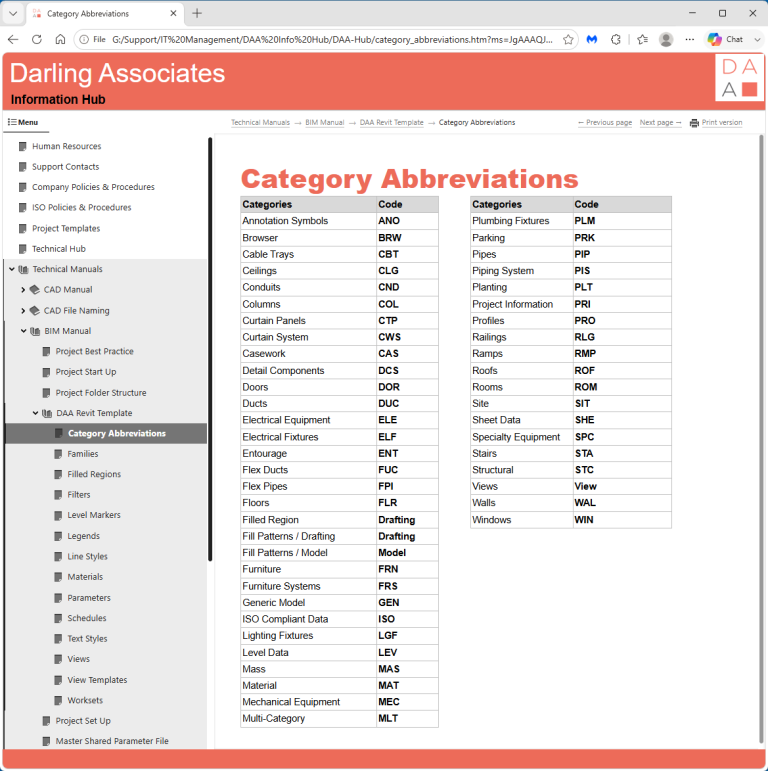
Documented category codes, naming conventions and standards keep Revit content structured consistently.

Project delivery

Clear issuing procedures.

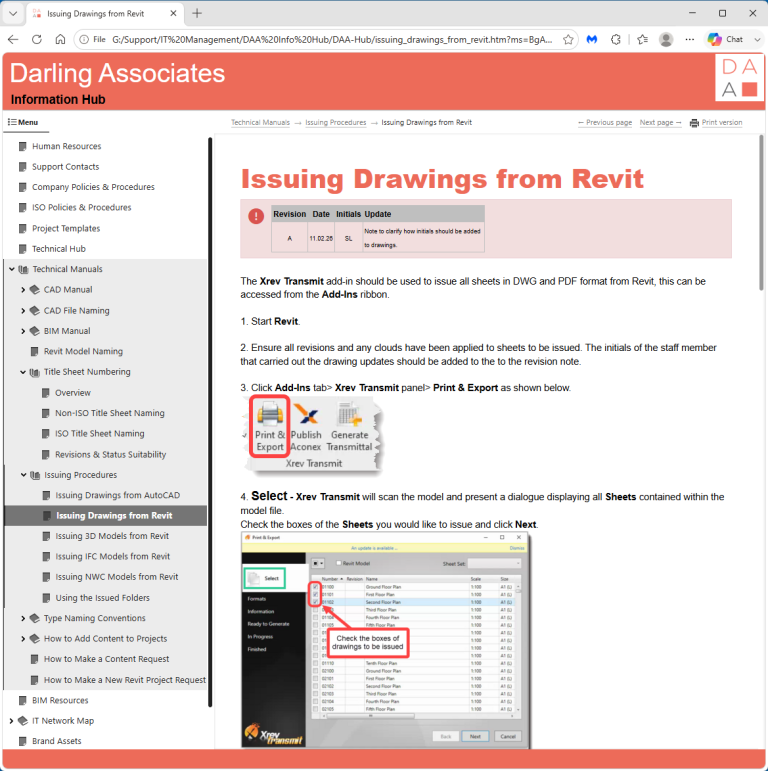
Step-by-step guidance explains how drawings and model information should be prepared and issued from Revit.

Content + naming

Standards built around everyday workflows.

Practical guidance explains how elements are named, numbered, scheduled and tagged consistently across projects.

The result

A practice-wide system for consistent delivery.

Darling Associates Architects’ original MonkeyFlow case study reported an immediate improvement in locating data, improved drawing quality and appearance, and significantly better consistency and quality of data. The expanded DAAflow environment shows how that idea has developed into a broader practice system.

Faster access to approved content

Visual warehouses make useful information easier to recognise and reuse.

Consistency across Revit and AutoCAD

Different platforms can still express the same office standards and graphic language.

Less reinvention

Teams can start with curated office content rather than rebuilding common components project by project.

Standards become visible

DAAflow and the Hub move knowledge out of hidden folders and into everyday workflows.

“Consistency and quality of data is significantly better.”
Rupert Culvert
Project Director, Darling Associates Architects
“Architects like to view things visually so navigating the content is easy.”
Rupert Culvert
Project Director, Darling Associates Architects

Practice-specific digital standards

Turn office standards into a connected system.

DAAflow shows what happens when standards, software tools, content libraries and technical knowledge are brought together as one connected system.