- troop@monkeyflow.co.uk
- +44 20 3995 1020
- Contact

SHEETflow automates the repetitive process of issuing CAD drawing packages. Create revision-aware DWG and PDF files, generate bound drawings and standardise your issue workflow from one dedicated ribbon. Compatible with AutoCAD, AutoCAD LT and BricsCAD.
Full version. No payment required.
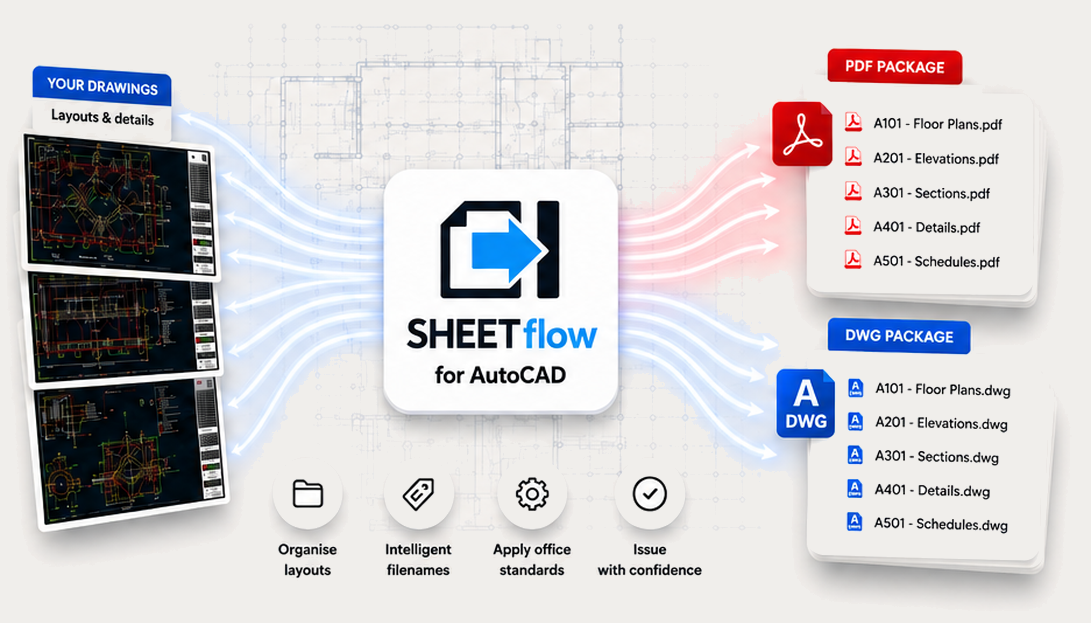
Every drawing issue repeats the same tasks: creating PDFs, exporting DWGs, binding references, renaming files and organising folders. SHEETflow brings those steps into one consistent workflow.
Replace repetitive publishing steps with one streamlined operation.
Apply the same settings and naming standards to every issue.
Reduce manual renaming and avoid unclear revision information.
Create organised DWG and PDF packages in the selected issue folder.
A simple three-step workflow takes drawings from project setup to a complete package ready to share.
Choose issue locations, outputs and office standards.
Create revision-aware DWG and PDF files together.
Open the organised issue folder and share with confidence.
The focused SHEETflow ribbon keeps drawing issue tools, configuration and title sheets together.
Create drawing issues, configure publishing settings and instantly open the current issue folder.
Insert predefined landscape and portrait drawing sheets directly into the current drawing.

One-click drawing issues
AIA, BS1192, MonkeyFlow — or your own. CADflow adapts to you.
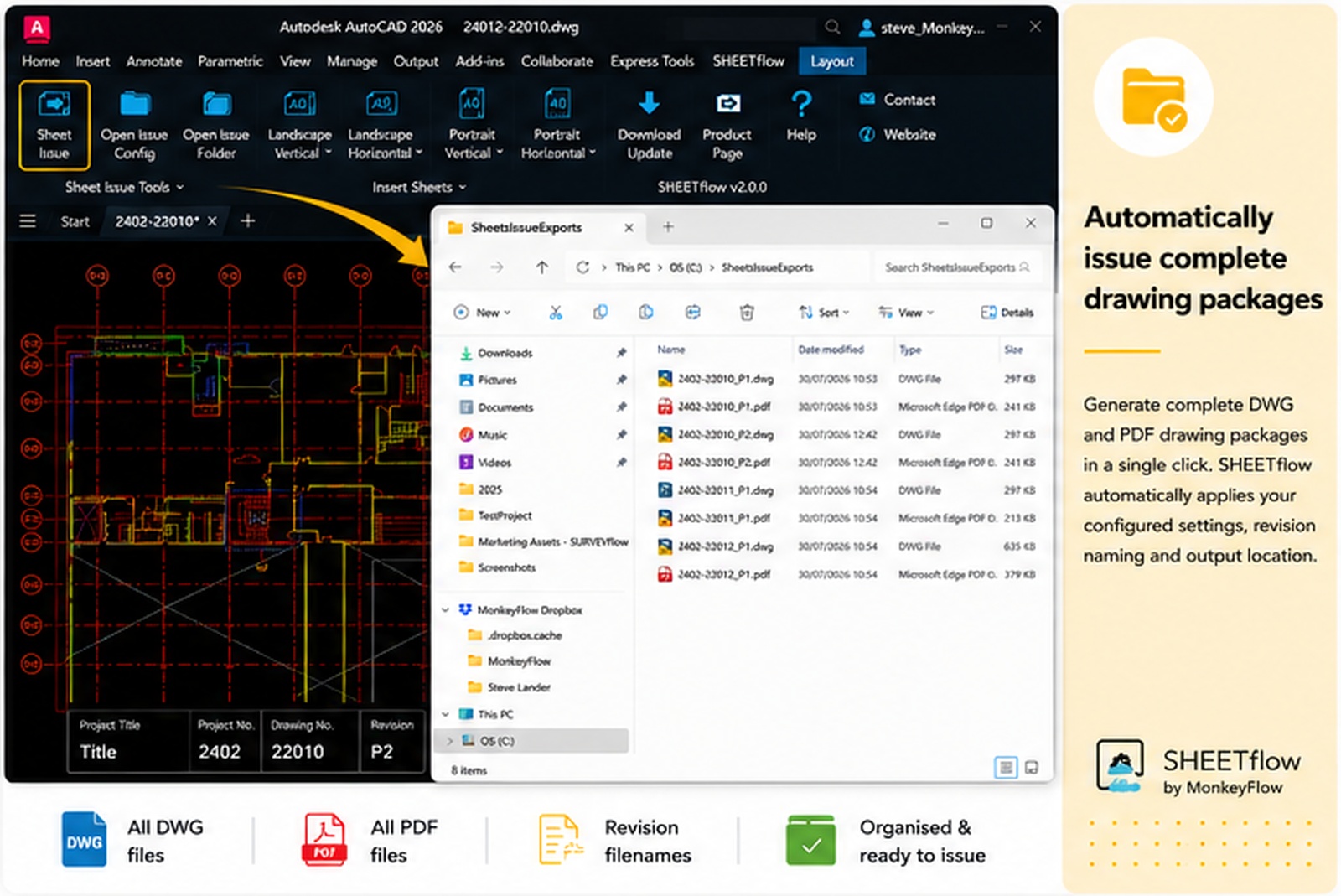
Create DWG and PDF files using your configured settings, apply revision-aware filenames and organise outputs within the selected issue location.
Issue configuration
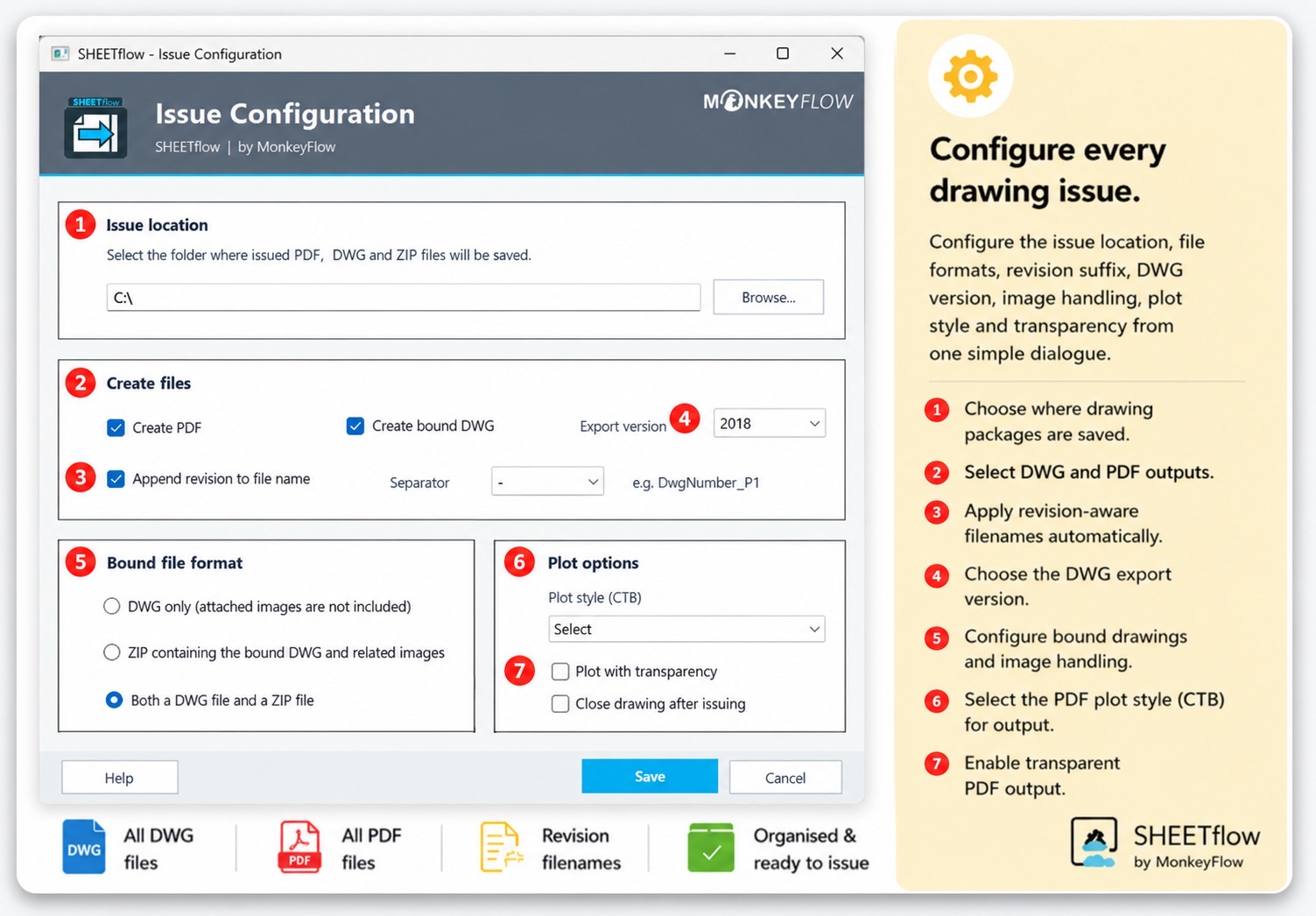
Configure the issue location, file formats, revision suffix, DWG version, image handling, plot style and transparency from one dialogue.
choose where packages are saved.
select the required outputs.
apply issue information automatically
control DWG version, CTB and transparency.
Clear file naming
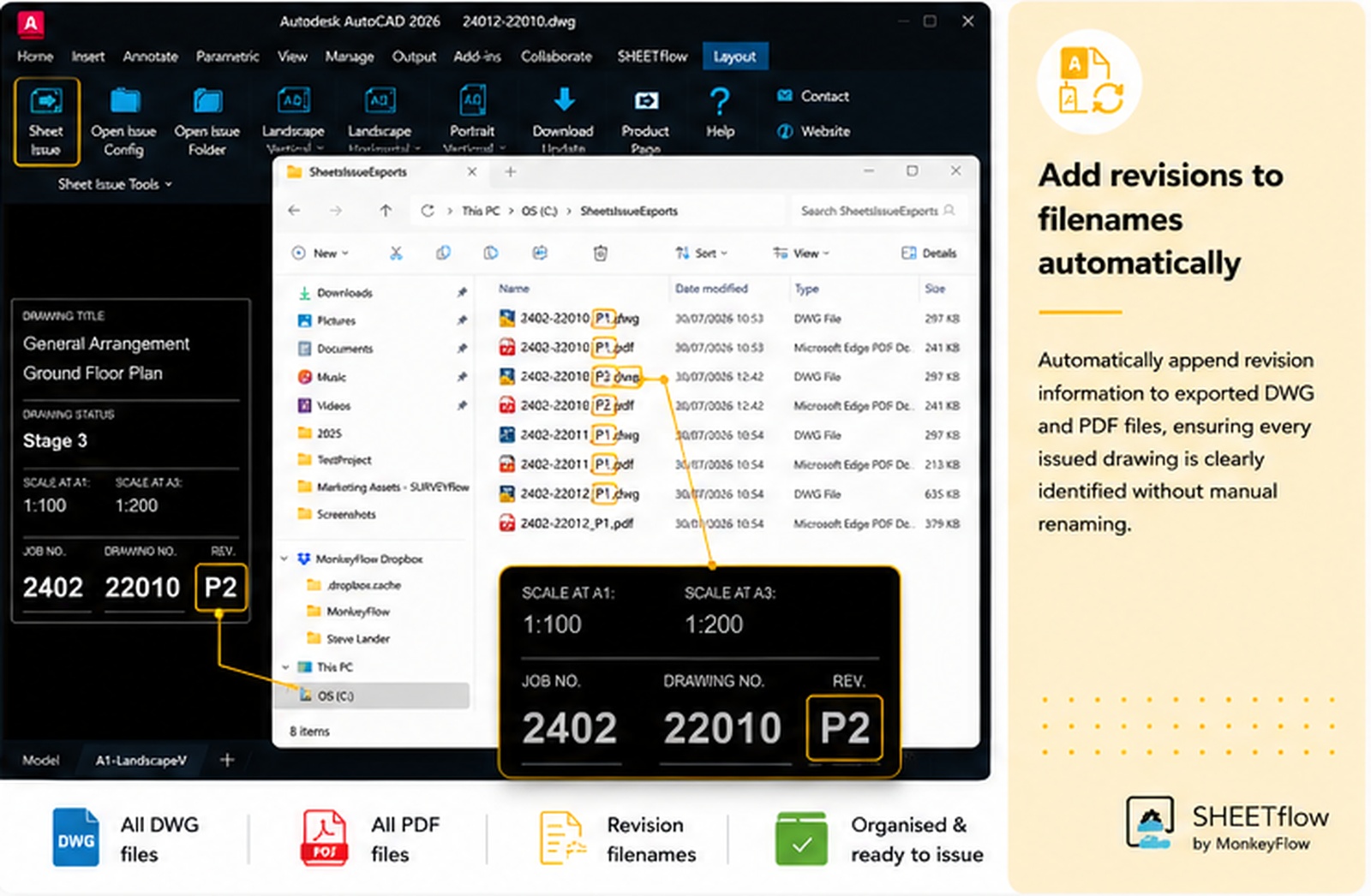
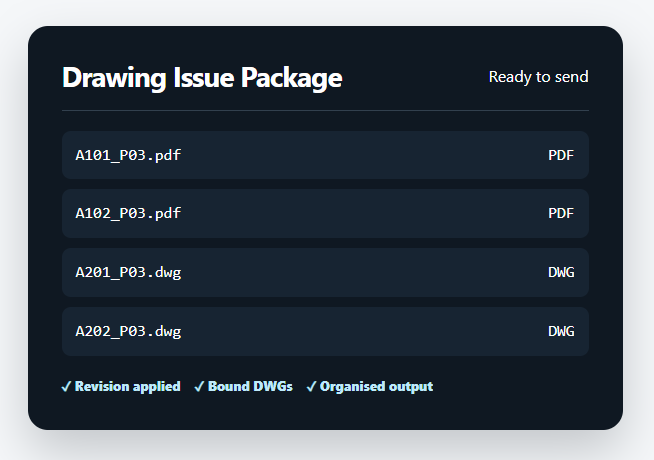
Append revision information to exported DWG and PDF filenames so every issued file is clearly identified without time-consuming manual renaming.
Reliable sharing
Create complete drawing files for external sharing. Where attached images cannot be bound, SHEETflow provides options for creating a ZIP package containing the bound DWG and linked image files.
Watch the overview to see the complete drawing issue workflow inside AutoCAD.
Yes. SHEETflow for AutoCAD is currently available as a free download from Autodesk Marketplace.
The current Marketplace listing supports AutoCAD 2020 onwards. Confirm the latest compatibility information before publishing the final page.
Yes. PDF and bound DWG outputs can be selected in the configuration dialogue and produced as part of the same issue workflow.
Yes. The supplied drawing sheets can be adapted to suit your company title block, standards and project requirements.
Because linked PDF and JPG images cannot be embedded in the same way as standard DWG references, SHEETflow can create a ZIP package containing the bound DWG and the required linked images.
Join the discussion, share ideas, request features and see replies from the MonkeyFlow team.
A community-style preview inspired by YouTube comments and GitHub Discussions.
Download SHEETflow free and simplify the way you create CAD drawing issue packages in AutoCAD, AutoCAD LT and BricsCAD.

Helping organisations get more from AutoCAD, BricsCAD and Revit through workflow improvement, bespoke software and practical productivity tools.
+44 (0)20 3995 1020


© MonkeyFlow Ltd. All rights reserved.
You must be logged in to post a comment.