- troop@monkeyflow.co.uk
- +44 20 3995 1020
- Contact

SHEETflow automates the repetitive process of selecting sheets, generating intelligent filenames and exporting PDFs and DWGs using your office standards — all from one streamlined Revit workflow.
Full version. No payment required.
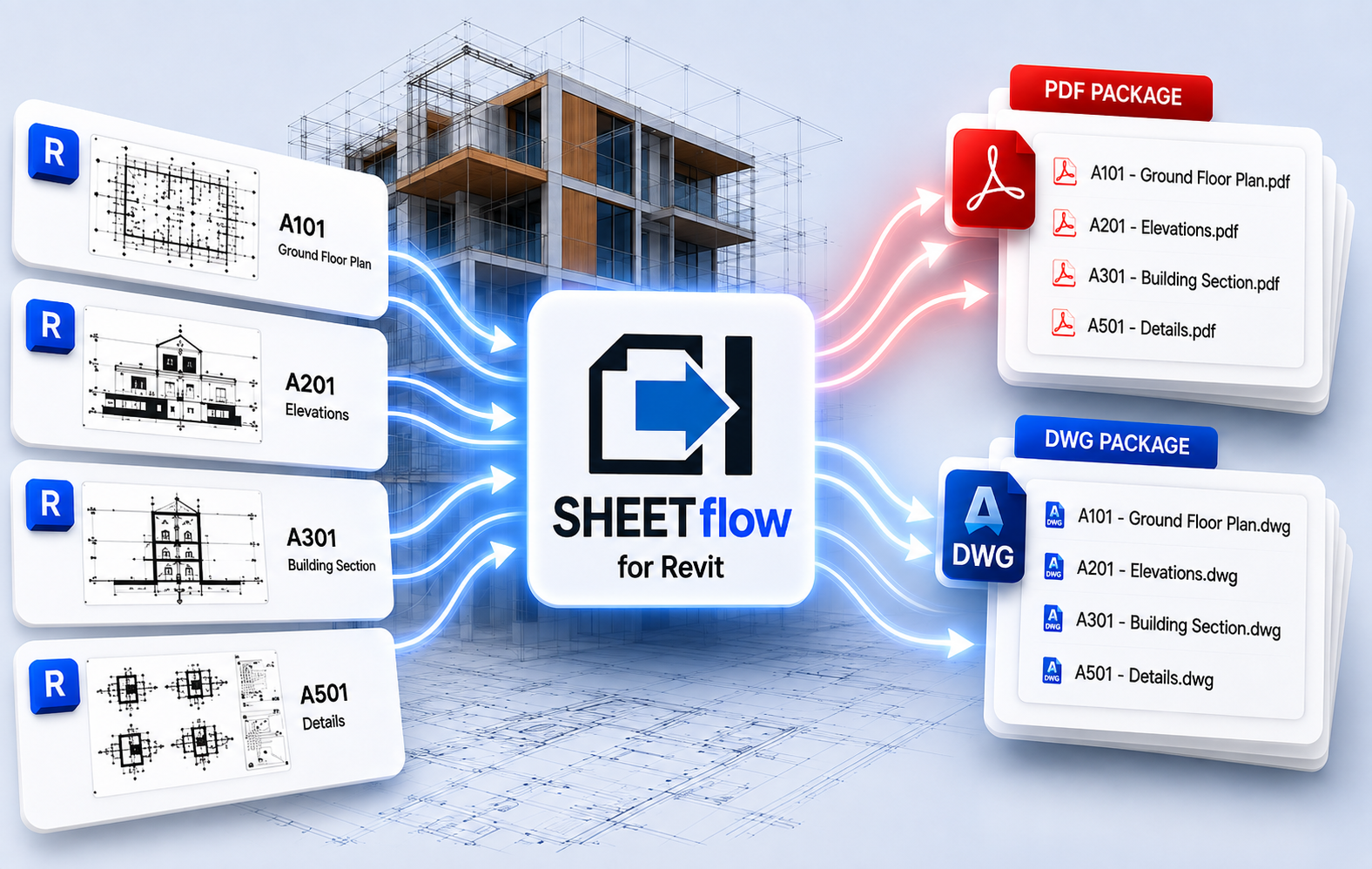
Every Revit project reaches the point where sheets need to be issued. SHEETflow brings naming, selection, export configuration and file delivery into one clear process.
Replace repetitive exports and manual renaming with one controlled workflow.
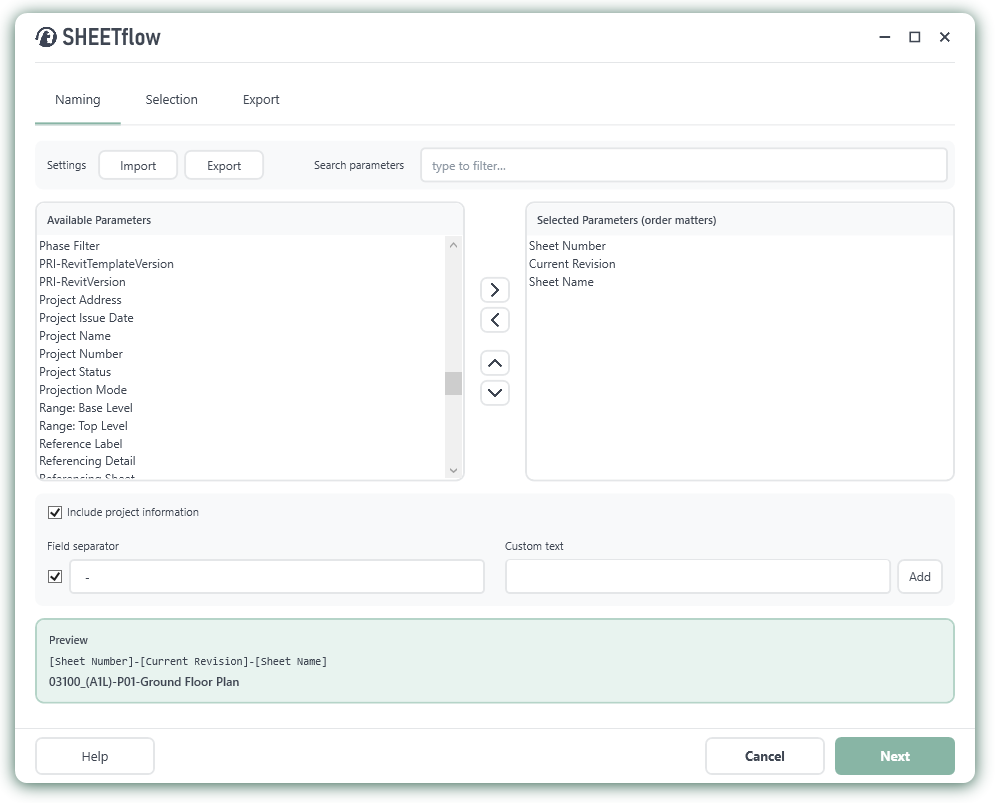
Preview filenames before export and apply the same naming rules every time.
Use shared settings so project teams produce uniform drawing packages.
Create organised PDF and DWG files ready for issue from a single folder.
Intelligent file naming
Build clear, consistent filenames using sheet and project parameters such as Sheet Number, Current Revision, Sheet Name and Project Name. Arrange the order, add separators or custom text and preview the result before export.
Export files with the correct names first time.
Adapt naming rules to match project or ISO requirements.
Save configurations and reload them across projects.
Smart sheet selection
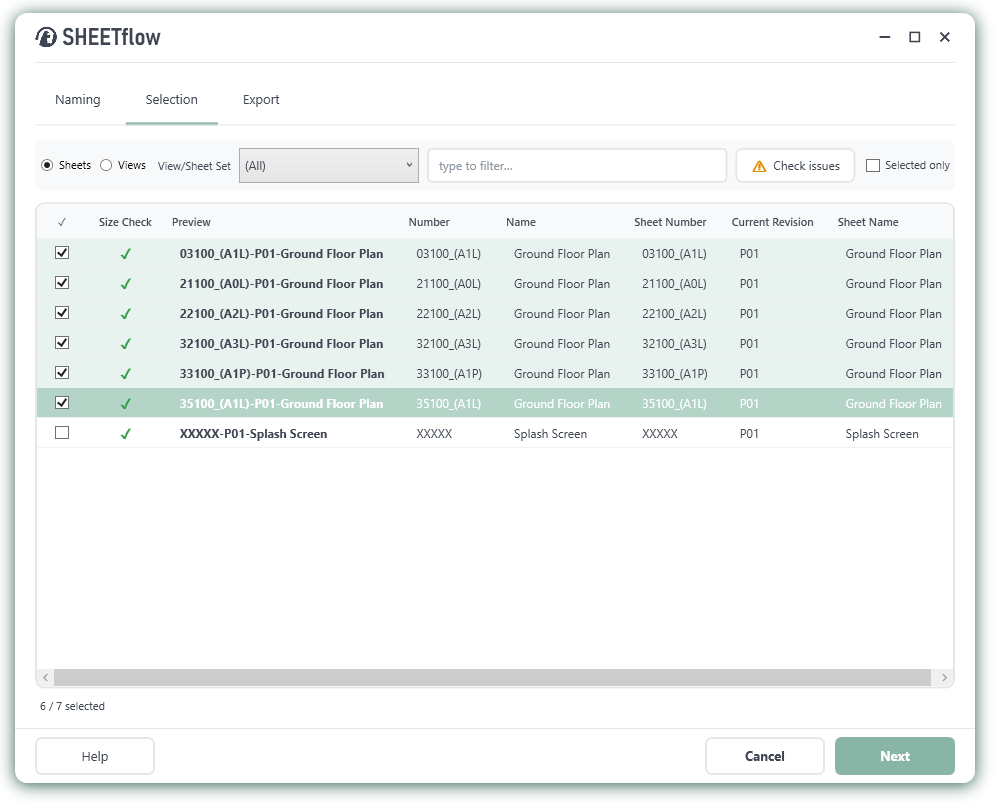
Choose sheets or views, filter the list, use Revit view and sheet sets, check paper sizes and confirm the final selection before export.
See the filename that will be created for every selected sheet.
Find the sheets you need without scrolling through the whole model.
Identify potential size or selection issues before exporting.
One export operation
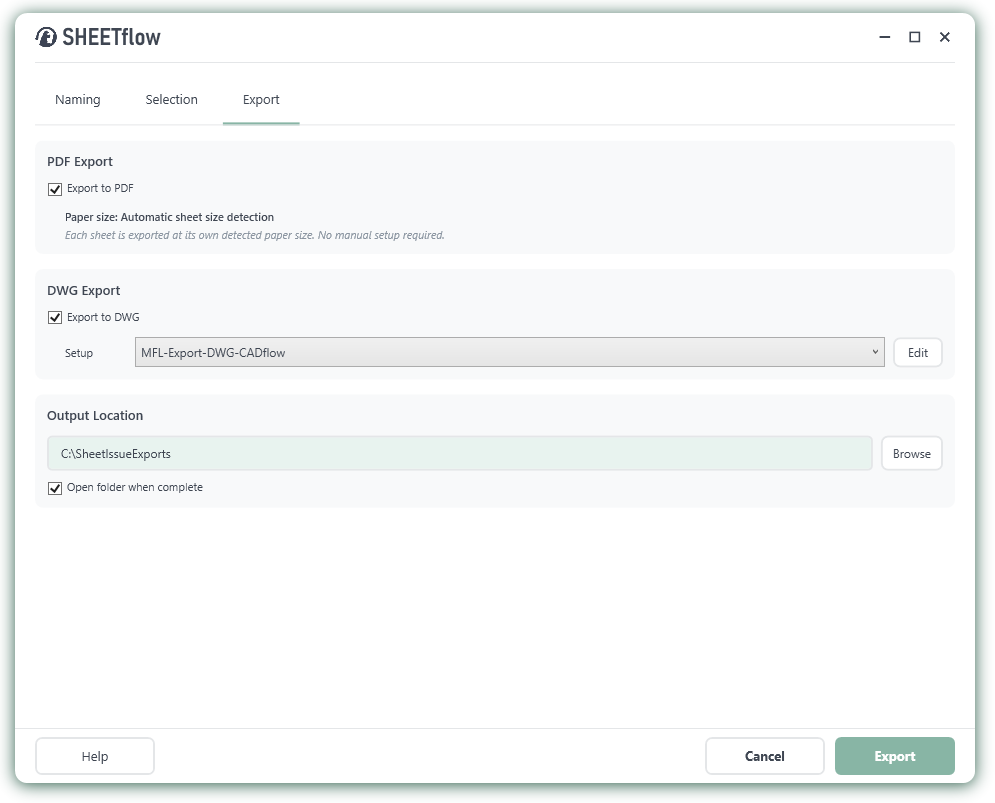
Choose PDF, DWG or both, apply the required DWG export setup and send the completed files to your chosen output folder. SHEETflow automatically detects the correct paper size for each sheet.
Create PDF and DWG packages in the same workflow
Use the DWG configuration already established for your team.
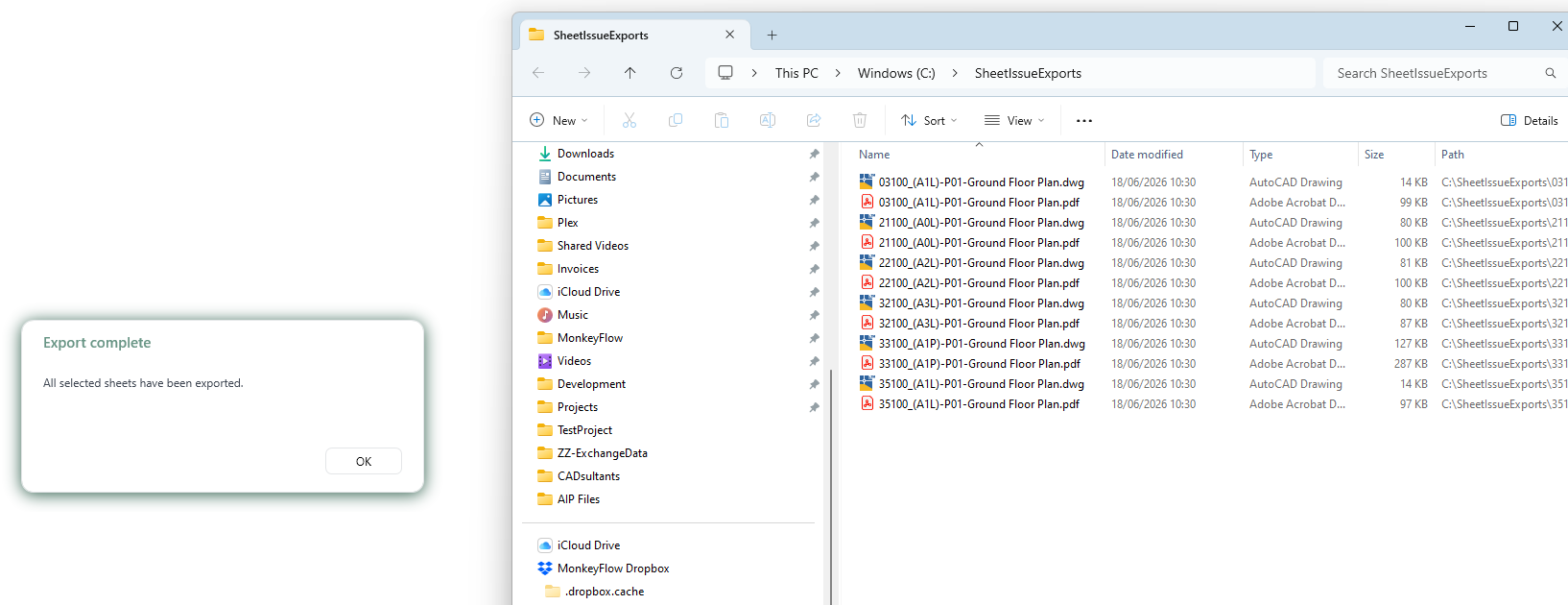
Jump straight to the exported files when the process finishes.
Ready to issue
When the export is complete, SHEETflow opens the destination folder so the finished PDF and DWG package can be checked, shared or uploaded immediately.
Every exported file follows the selected naming convention.
Keep all issue outputs together in the chosen folder.
Receive confirmation that all selected sheets have been exported.
Yes. The Autodesk Marketplace listing describes SHEETflow as a free Revit add-in.
The current Marketplace information lists support for Revit 2021, 2022, 2023, 2024, 2025 and 2026.
Yes. PDF and DWG outputs can be selected and created as part of the same export workflow.
Yes. Filenames can be assembled from available sheet and project parameters, separators and custom text, with a live preview before export.
Join the discussion, share ideas, request features and see replies from the MonkeyFlow team.
A community-style preview inspired by YouTube comments and GitHub Discussions.
Use SHEETflow to create intelligent filenames and export organised PDF and DWG drawing packages from Revit.

Helping organisations get more from AutoCAD, BricsCAD and Revit through workflow improvement, bespoke software and practical productivity tools.
+44 (0)20 3995 1020


© MonkeyFlow Ltd. All rights reserved.
You must be logged in to post a comment.