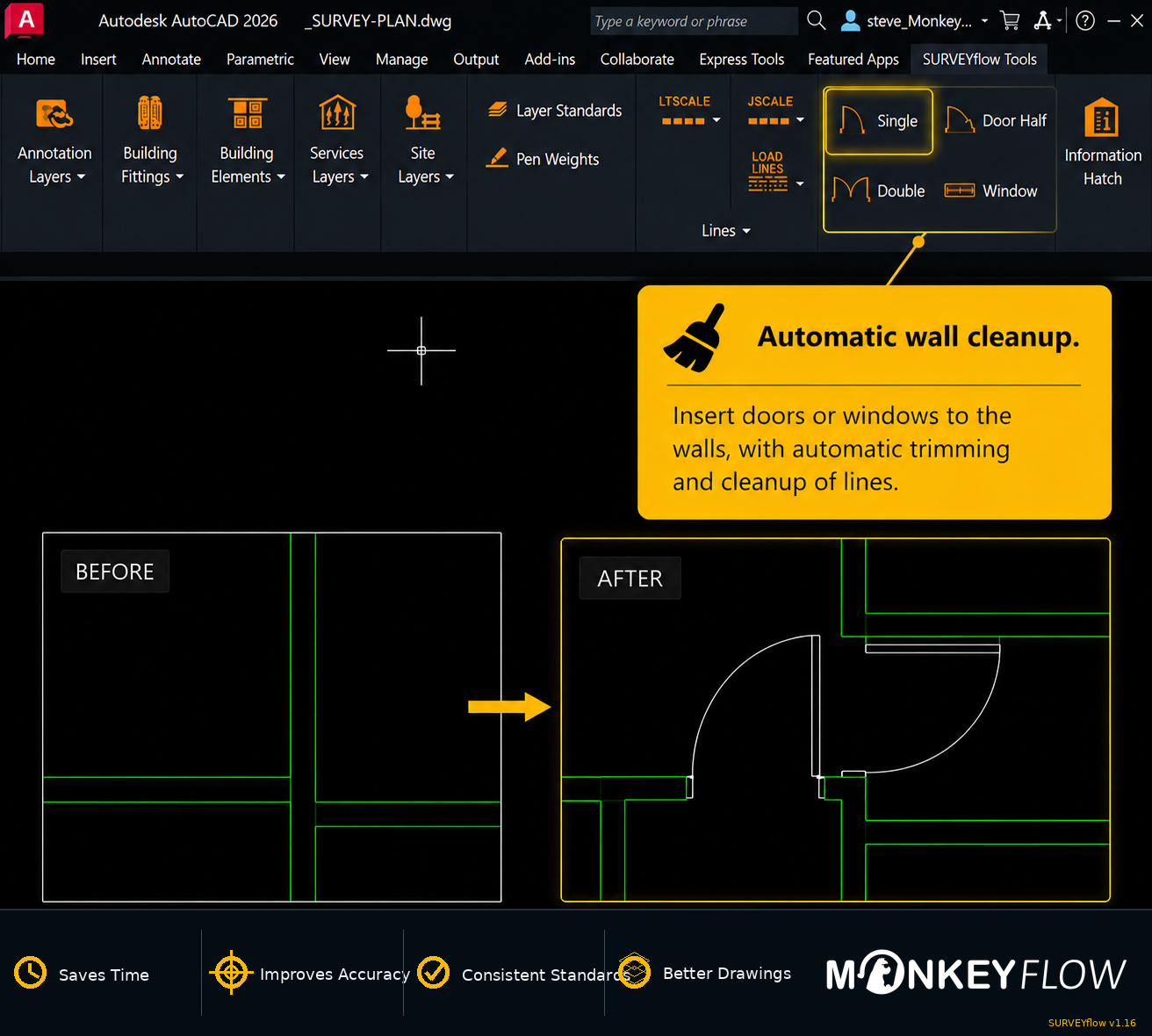
Insert doors and windows with automatic wall cleanup.
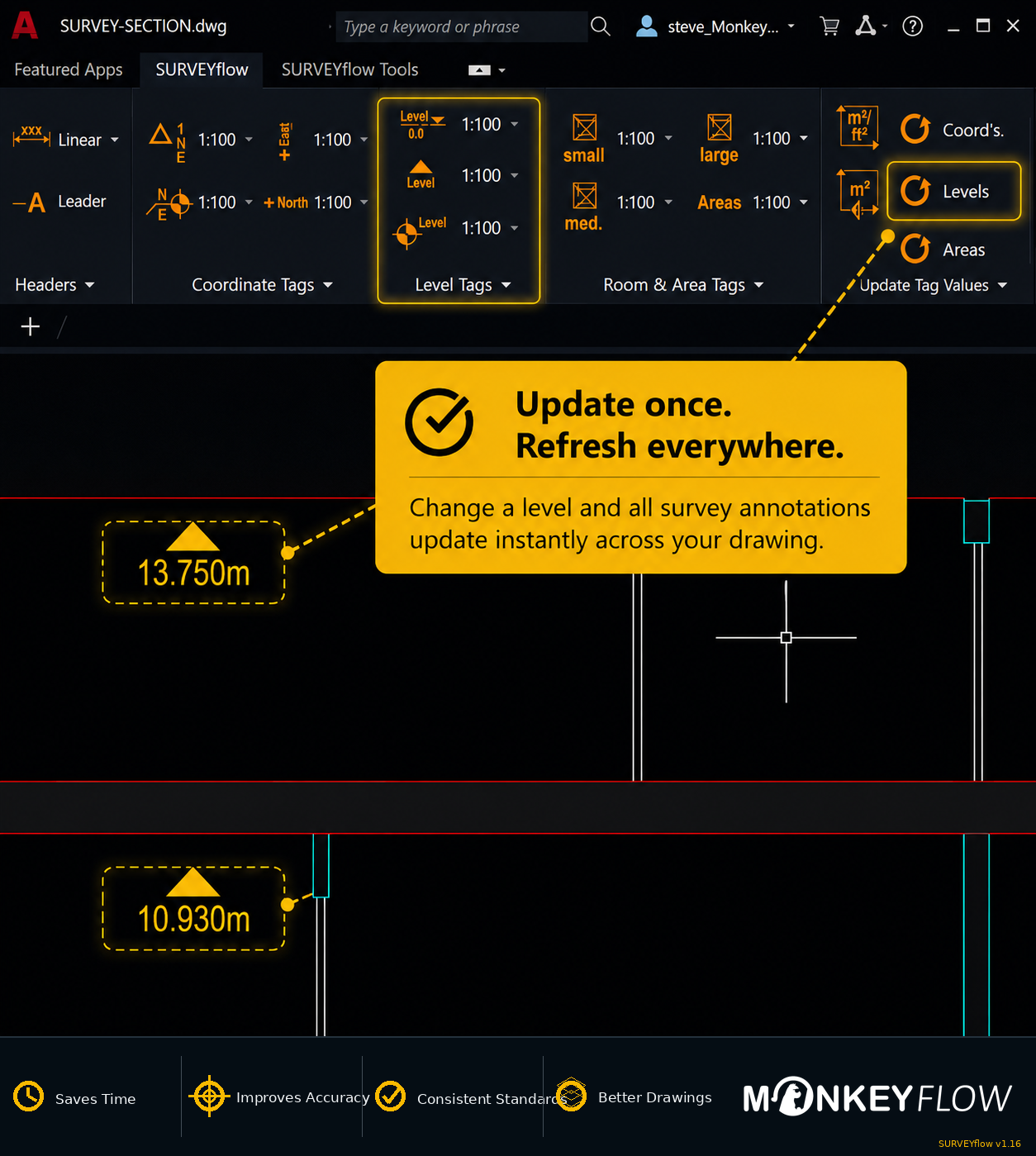
Automated Areas & Levels
Save time with intelligent area and level text objects.
Spot coordinates
Add and update coordinates.
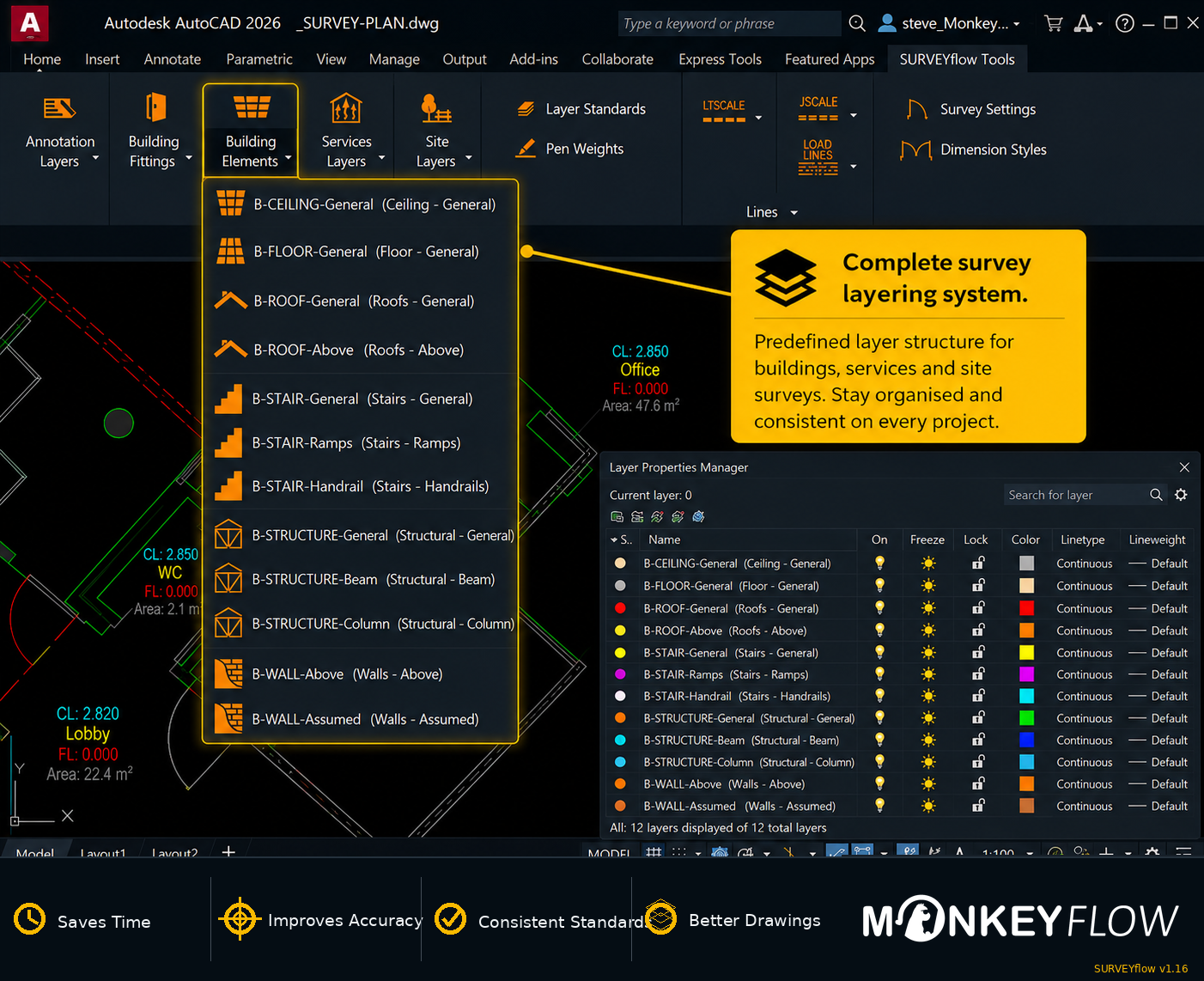
Layering system
Organise survey standards.
Survey Content
Access ready-to-use survey CAD content.
Built for measured building surveys.
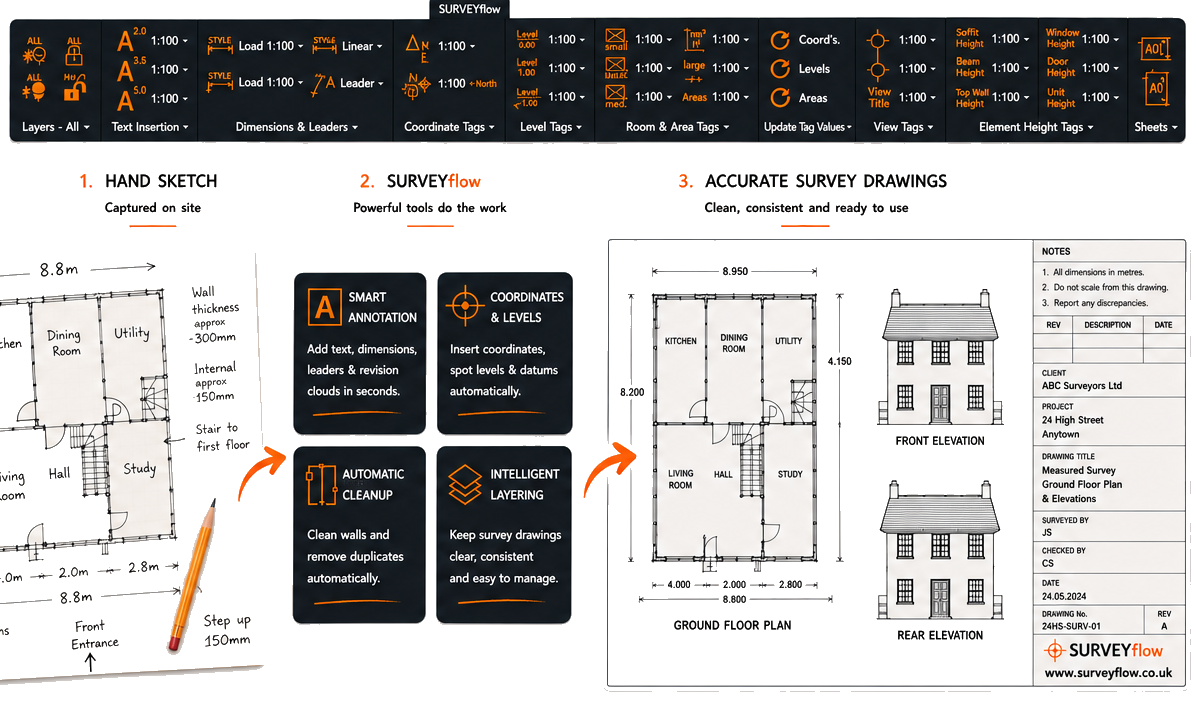
SURVEYflow brings together the essential tools needed to produce measured building surveys. Annotation, coordinates, levels, areas, intelligent layering and survey content are all available from two dedicated AutoCAD ribbon tabs.
Faster drafting
Complete repetitive survey drawing tasks with fewer commands and less manual input.
Consistent standards
Apply predefined survey layers, line settings, annotation and pen weights.
Accurate information
Instantly insert and update coordinates, levels and areas.
Ready-to-use content
Access practical building, site, services and annotation content from the ribbon.
Two dedicated ribbon tabs.
Everything is organised around the way building surveyors produce measured survey drawings.
SURVEYflow
Create survey annotations, dimensions, coordinates, levels, areas, view tags and element heights from a single dedicated ribbon.
SURVEYflow Tools
Standardise drawings with intelligent layering, automatic wall cleanup and a library of survey-ready CAD content.
Intelligent survey data
Intelligent survey annotation
Create intelligent coordinate, level and area annotations that update automatically whenever survey information changes, helping keep drawings accurate and consistent.
Drawing standards
Complete survey layering system
Select the required survey layer directly from the ribbon to save setup time and keep drawings consistent across every project.
Doors and windows
Automatic wall cleanup
Insert doors and windows with automatic wall cleanup, creating clean, accurate openings in seconds without manual editing.
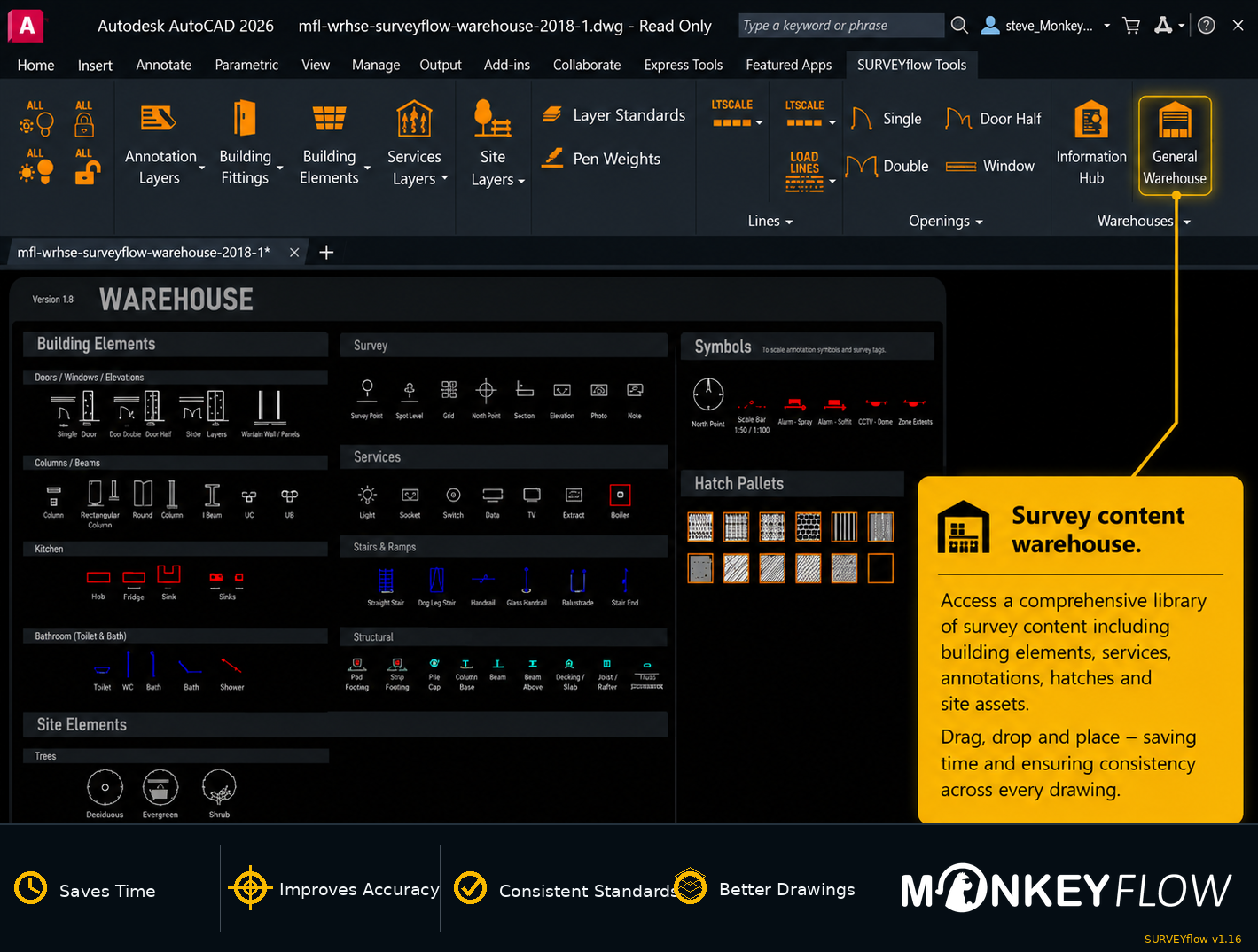
Survey content
Survey content warehouse
Access a dedicated content warehouse containing ready-to-use survey CAD content that can be copied and pasted directly into drawings.
SURVEYflow is designed for AutoCAD®, AutoCAD LT® and BricsCAD®. The current supported versions should be confirmed against the latest download and installation information before publishing.







You must be logged in to post a comment.